
Important
You can update the server software either locally or remotely, by connecting to the server via the client.

The Software Update function is used to update the server firmware and IP device drivers. To check for an update, select Check for Firmware Update.... If the required update is found, a list of changes will open and you will be prompted to download it.
Tip
The name of the Software Update menu items depends on your operating system:
- In Windows, the item is called Check for Service Pack...;
- In TRASSIR OS, it is called Check for Firmware Update....
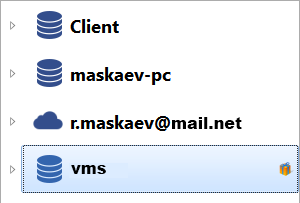
SelectAuto-search for updates to ensure automatic search for updates in TRASSIR Cloud. In case of update finding Software update button will start to flash and icon will appear in the settings tree.
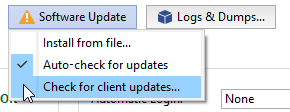
Press Software Update button, and you'll see the suggested update instead of Check for Firmware... menu item. Select the corresponding item to view list of changes and activate update function.
In addition, you can download the update file from our website yourself and update the server manually. In this case, select Install from file... and specify the update file.
Tip
Depending on the operating system and installation method, the server will restart automatically:
- Software server for Windows (installed as a standalone application) or Software client - only the application will restart.
- Software server for Windows (installed as a service) or TRASSIR OS - Windows or TRASSIR OS will restart.
