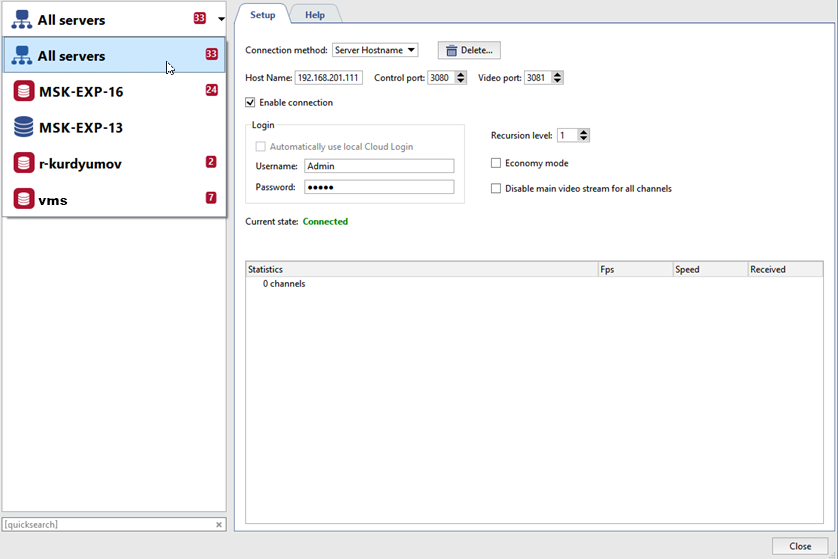
In order to change server connection settings, selected it the list on the Network tab of the settings tree.
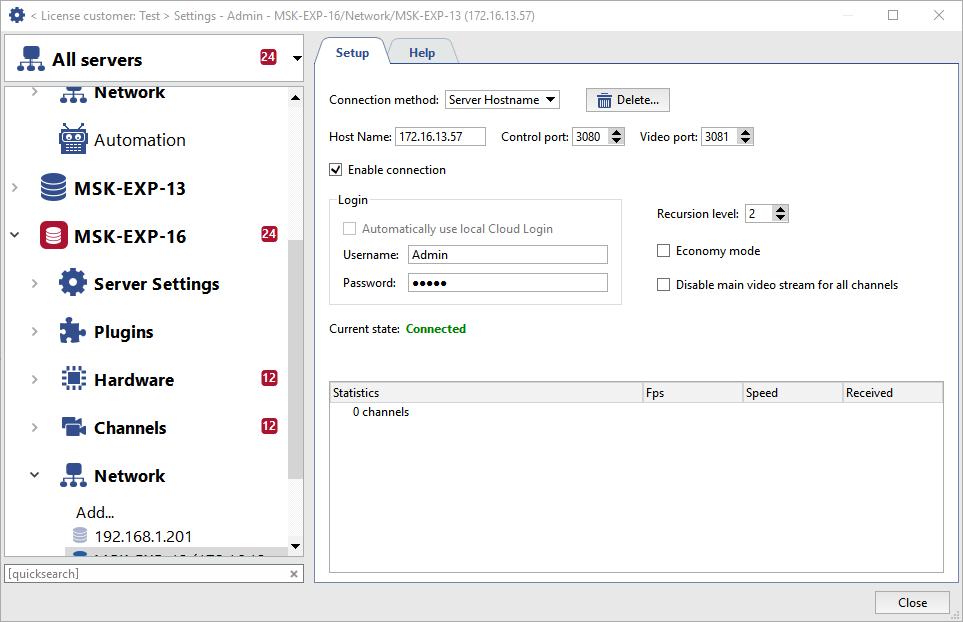
On this tab you can change connection settings such as: the server's IP address, the ports used, and the credentials for signing in.
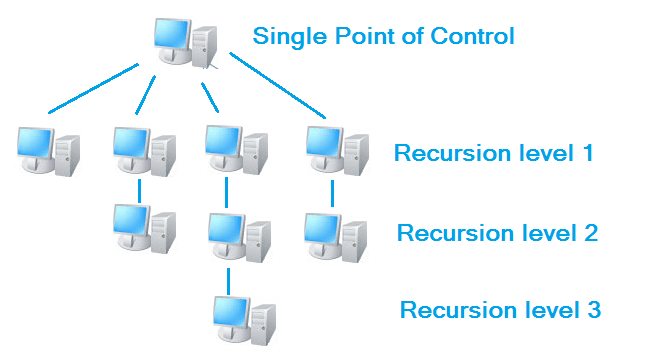
The server lets you manage video gateways and control servers through network connections, nested up to three levels. The maximum nesting depth is determined by the Recursion level. In other words, you can connect to a server through an intermediate server instead of connecting directly. A Recursion level of 1 means that a connection will be made only to the server you are directly connected to. A Recursion level of 2 means that a connection will be made both to the server you are connecting to and to all servers connected to it.
Important
Take care when building complex video surveillance systems, where one server is used as a gateway or intermediate server to which other servers and clients are connected. If more than 5 servers are connected to such a gateway server, including servers connected by recursion, we cannot guarantee stable operation of the gateway server.
In this case, you should use TRASSIR CMS server as a gate.
Economy mode - A special connection mode that reduces network traffic. In this mode, the server transmits the minimum amount of information, including service information.
Disallow main video stream - Blocks the reception of the mainstream from all channels. When viewing a camera's feed, the substream will always be displayed, regardless of other server settings; and if there is no substream – the number of frames displayed per second will drop to between one and two.
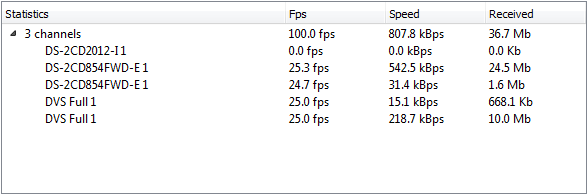
The table displays real-time statistics for the server connection. It includes information about the number of frames per second, the bit rate, and the volume of data transmitted for each channel individually as well as collectively for the server.
To disconnect from the server, simply clear the Enable connection checkbox. If the server connection is no longer required, you can delete it with the corresponding button.
If a large number of servers are connected to your server, you can only select and display one server in the settings tree. Select All servers to display the settings for all connected servers.