
You can connect the following devices to the cloud:
- IP cameras
- Video recorders
- Servers
You can find a detailed list of the supported equipment on our website.
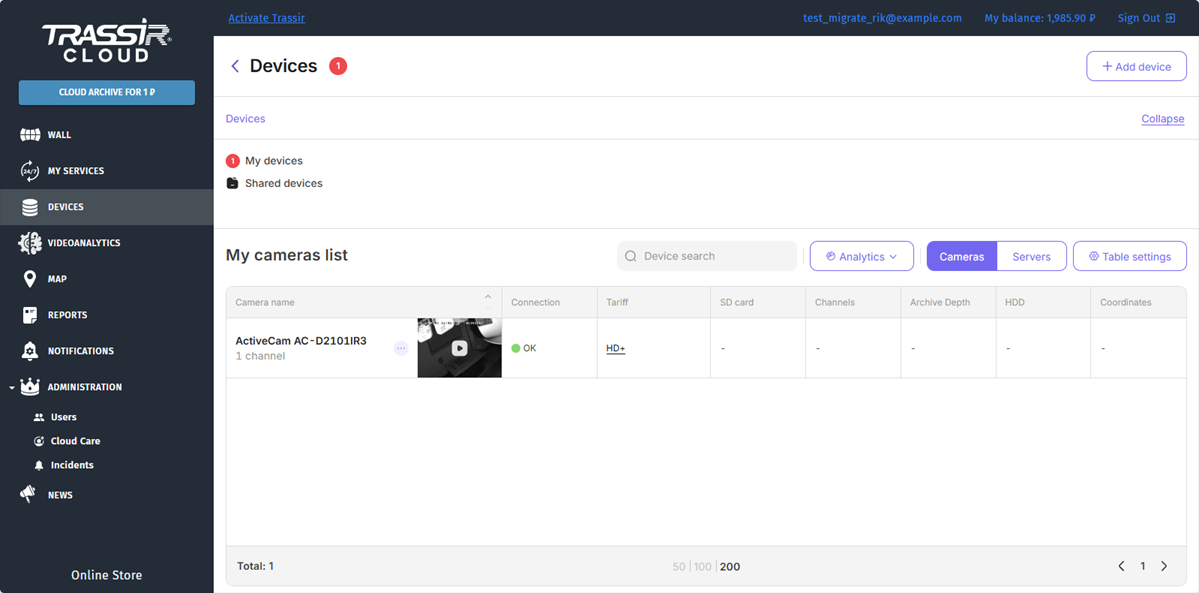
All devices you add are divided into Servers and Cameras groups. If you have numerous connected devices, you can unite them into subgroups or filter them to search for a particular device.
Important
TRASSIR Cloud lets you connect only three cameras with the Base tariff for free. Check TRASSIR Cloud free devices for details on free cameras' operation in the cloud.
Shared devices - are the devices shared by other TRASSIR Cloud users to you.
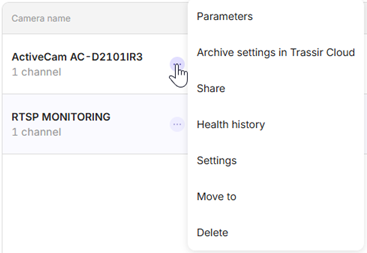
The button in the list next to the device name opens a context menu with the following items:
- Parameters - check and set up cloud device parameters.
- Add archive recording to the Cloud or Archive settings in TRASSIR Cloud - open the Archive recording to the Cloud service activation and setting window. Read more in My Services.
- Settings - open device and channel settings.
- Share - share the channel to another user and set the access rights.
- Health History - open the device status log.
- Move to - move the device to a group.
- Block - reject to view the video from the shared camera and add the user to the blacklist.
- Delete - delete device and its services.
Tip
A set of the channel settings available depends on the user rights and also on the connected services' tariff. Read more in My Services and Users.
Each device connected to the cloud sends it information about its state in the form of health metrics, which are displayed in a table.
If there are errors on one or more devices, then next to the Devices menu item and the name of the device group you will see a red indicator with the number of malfunctioning devices.
Tip
For indicators that require enabled Server PRO service, the "-" symbol is displayed instead of the value.
Click the device to see the health indicators log.
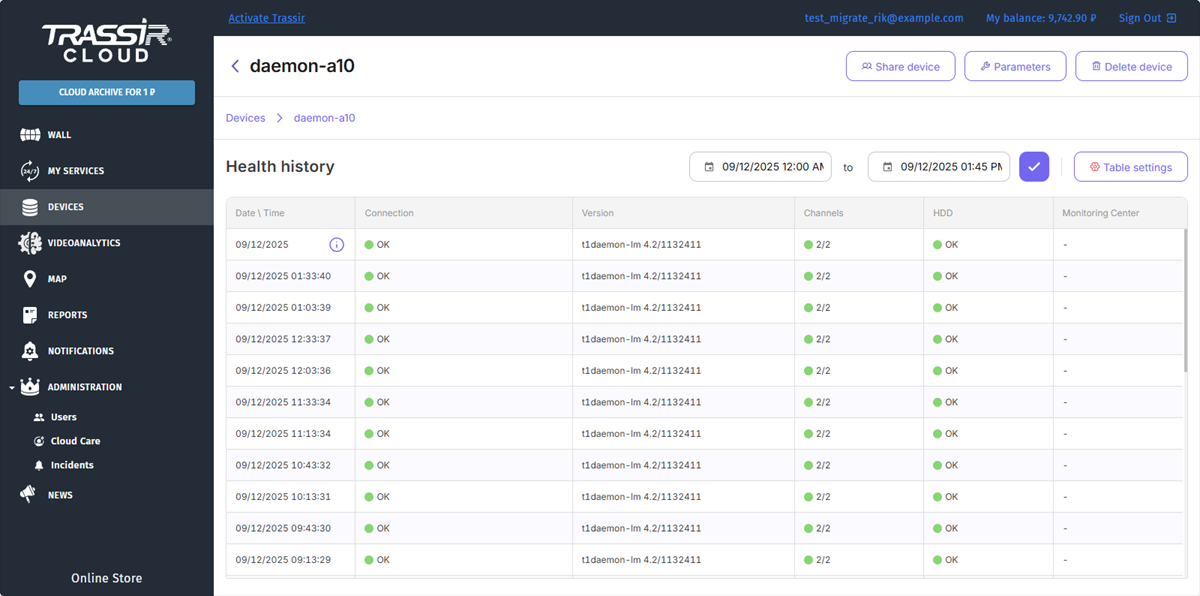
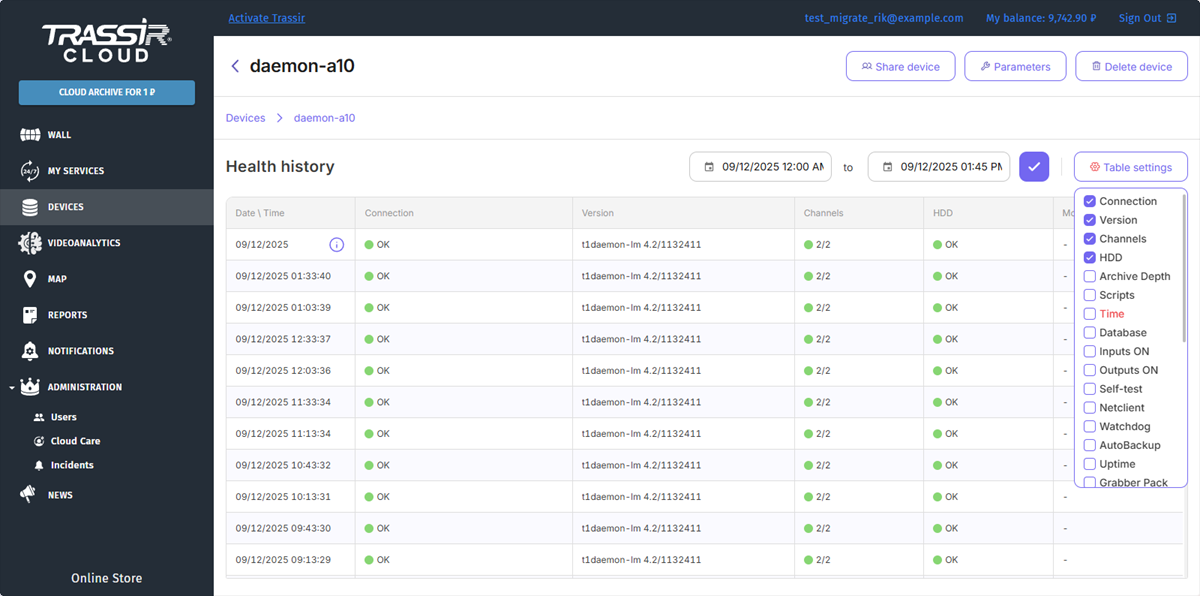
Not all health indicators are displayed in the table. To expand the list of the displayed indicators, press the Table settings button and check the boxes next to the required indicators. Drag the column name to the required position to adjust the display order of the columns.
Important
In case the connection to the cloud is lost, the server will not be able to transmit its health indicator changes. However, after the connection is restored, all changes in the server's operation will be transmitted to the cloud. Which will allow you to be always aware of the operation of the entire video surveillance system.
