
In case a camera does not have a hardware-based motion detector or its quality is unsatisfactory, you can use the server free software-based detector.
The software-based detector is provided in two forms: Activity detector and Activity detector HD. The Activity detector suits for most scenes except large spaces; to detect the motion of small objects in large spaces, use Activity detector HD.

or

To enable a software-based detector, in the Software-based detectors area of the Channel settings window, select Activity detector or HD activity detector in the Motion detector dropdown list. Clicking Setup Zones... will open the settings window.
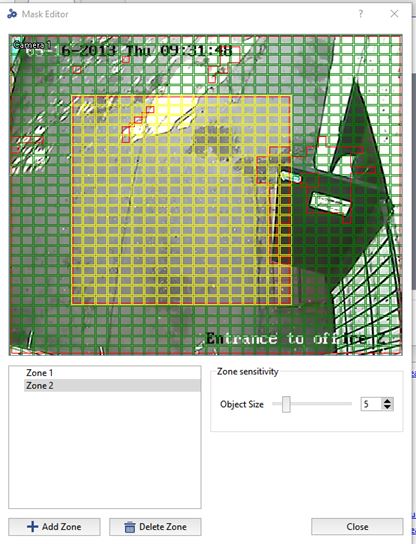
Then add a new zone by clicking Add zone or edit an existing zone. Use the left mouse button to select the areas for motion detection. Use the right mouse button to adjust the areas.
To configure the detector's sensitivity, change the value of the Object size slider. The sensitivity settings are specified separately for each zone. Up the five independent detection zones can be created.
