
TRASSIR is a distributed video surveillance system. Its architecture supports connecting an arbitrary number of video servers to a single network.
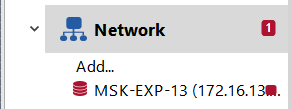
Each server manages specific objects: IP-equipment, video capture cards, etc. Accordingly, by setting up connections between servers, you can easily access all objects over a local network or the Internet. For example, you can select the main server and use it as a control center for all objects of the video surveillance system, or connect to all servers using the client.
You can find a list of the current connections with other servers on the Network tab of the Settings window. After the installation, the list of connections will be empty. The list will expand as connections are created, and each connection in the list will be identified by one of the following icons:
Table 10.
 |
Connection with server is on. No errors pending |
 |
An error has occurred when connecting to the server (open the connection tab to see the details of an error). |
 |
Connection to the server is inactive (disconnected by user). |
You can connect to the servers in two ways: directly by specifying the IP address or with the help of CloudConnect.
CloudConnect is a technology based on UPnP network protocols allowing to arrange direct P2P-connection between the servers operating not only in different local networks, but located very far from each other. CloudConnect creates endless opportunities to construct video surveillance systems of any volume and complexity. Using CloudConnect you do not need to apply static IP-addresses or set VPN-connection any more.
Important
There are some cases when CloudConnect-connection will be arranged via TRASSIR Cloud service:
- for 10 seconds, the server cannot establish a direct CloudConnect connection with the cloud camera or server;
- errors were detected while monitoring CloudConnect connection, which does not allow a stable transfer of data between servers.
Tip
CloudConnect technology use is possible only further to connection to TRASSIR Cloud service.
Network statistics are displayed in the right part of the window. You can see real-time statistics for servers to which you are connected and for clients and servers connected to you.
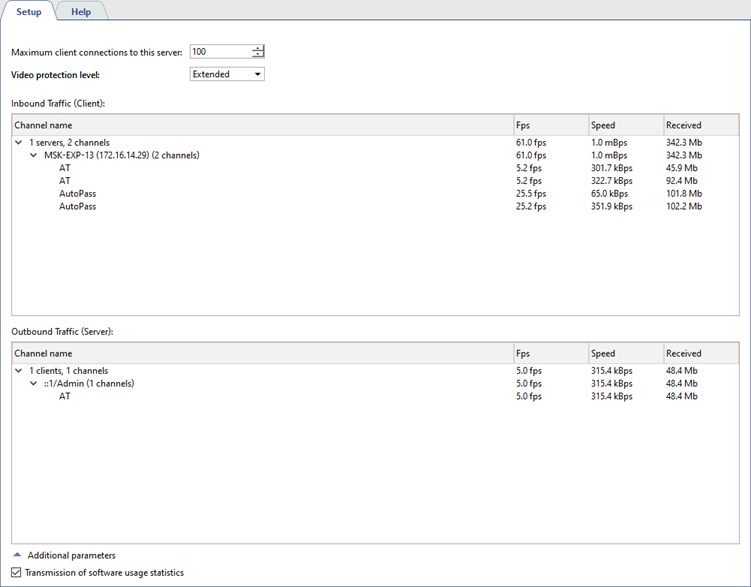
Please note that in order to save the network bandwidth, the server steams video only from those devices where the client-based action is currently taking place (watching video in real time, working with archive data, recording network channels.) Moreover, the setup of the Maximum client connections to this server parameter allows limiting the number of clients that will be able to connect to the given server.
The Video protection level setting lets you select the protection method, which will be used for data transfer between the client and the server:
- Base - for all software versions.
- Extended - for versions 4.1+.
