
In the cloud:
-
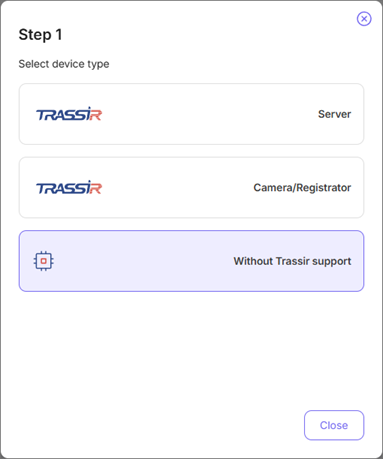
Step 1.
Click Add device button on the Monitoring Center page.
-
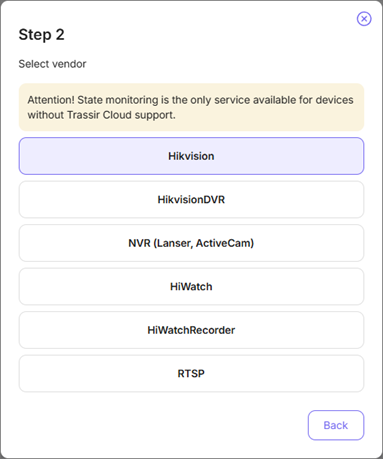
Step 2.
Click Without Trassir support button and select the brand of the device you connect.
-
Step 3.
Enter the Device name and connection parameters: Public IP, Port, User and Password.
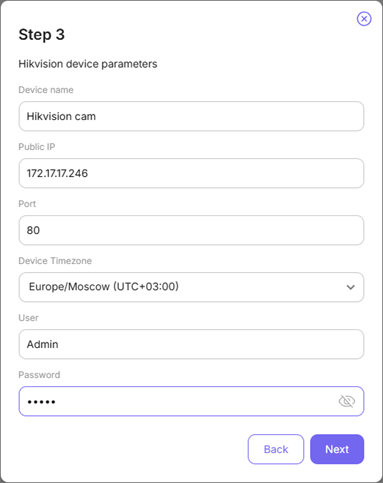
Click Next.
Important
The selected user should have the rights to change the device settings.
-
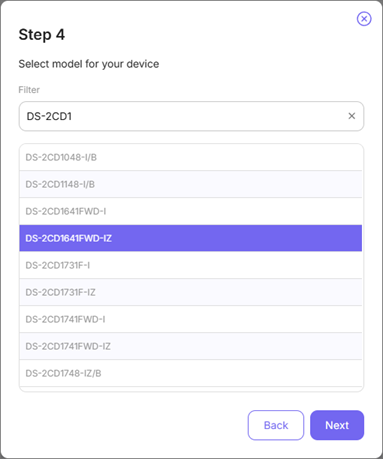
Step 4.
Wait several seconds for the Cloud to connect to the IP camera. Select the model of the device and complete the connection by clicking Next.
Tip
In order to transfer data via local network, the connected device and TRASSIR CMS should use the same DNS.
