
TRASSIR Neuro Detector or Neuro Detector can be used for building up security systems, which require in-depth image analysis. As a result, the video surveillance operator will get the information on various objects in the specified area in real time.
Neuro detector is intended for detecting the following object types on video:
- ordinary people or people wearing the uniform of the specific color;
- a person's head or a person not wearing the special headwear (hard hat);
- a bicycle or a person riding a bicycle;
- a car.
Besides of that, neuro detector can be used for counting objects in the specified area.
Tip
The combined use of the Neuro Detector and TRASSIR ACS plugins allows you to:
- track the movement of persons in areas to account for employees' working hours (see Creating a new person);
- determine the number of objects in the area and control access depending on their number (see Card reader settings);
- detect violations that occur when people pass through turnstiles or doors and generate reports on events that occur in the operation of TRASSIR ACS (see Card reader settings and Reports).
Important
Neuro Detector features:
-
The plugin works with NeuroStation video recorders or on any video recorders of 4.x version, connected to NeuroStation server and using it as Server Analytics. Read more on server connection in Connecting to a new server.
-
In the user settings from which connection to analytical server is established, the analytics shall be allowed via network.
-
The operation of the Count objects, Track objects and Build heat map parameters is defined by corresponding license availability on the analytics server.
Follow the below described recommendations to improve the quality of the object detection.
Recommendations on the camera selection, its location and shooting area lighting:
-
The shooting area where the detection will be carried out, should be sufficiently lightened. The shadows could impair the detection quality.
-
Video from any camera will suit for plugin operation, including Fisheye cameras that support software image dewarp.
-
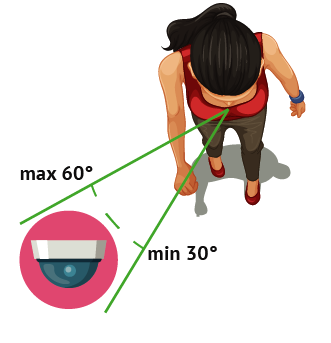
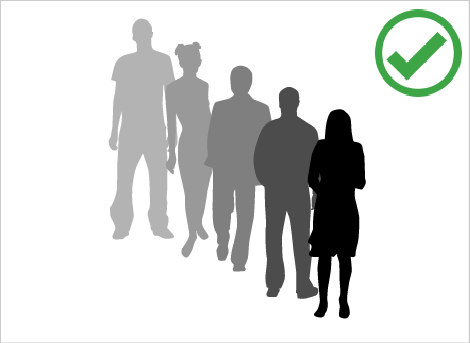
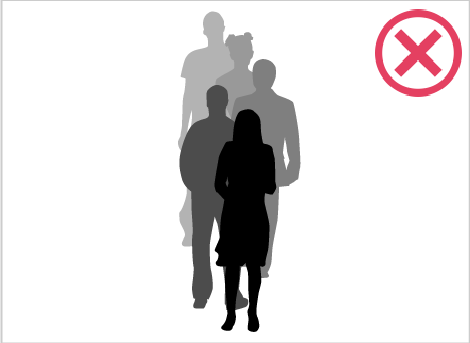
The camera should be installed at the 30 to 60 degree angle to the people flow or detected objects. The objects appearing in the shooting coverage should not obstruct each other.
-
By using the Neuro detector to detect and count heads, the angle of the camera with respect to the ground plane is selected according to the requirements and the intensity of the stream of people:
from 15 to 25 degrees - people are far away from each other and the exact number of people in the target area is not required.
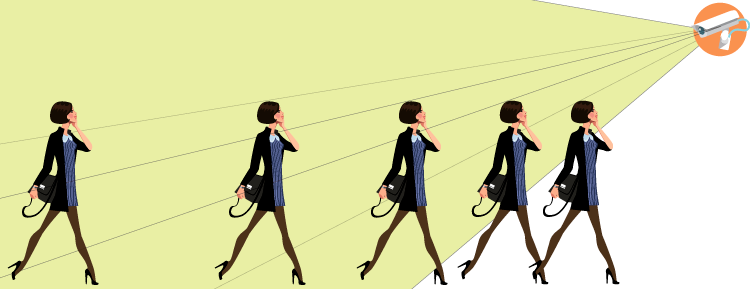
from 25 to 40 degrees - the optimal tilt for the detection and count people that could be enclosed by other people and objects.
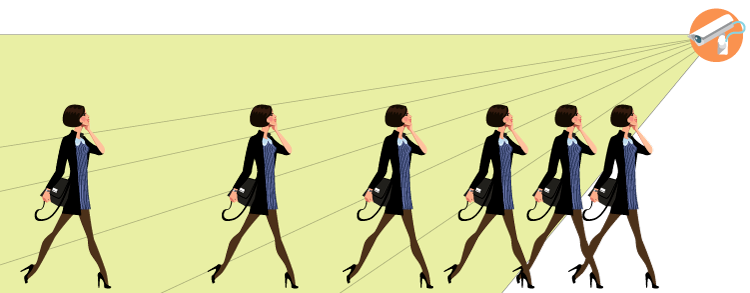
from 40 to 75 degrees - the flow of people is dense and the exact number of people in the target area is required.
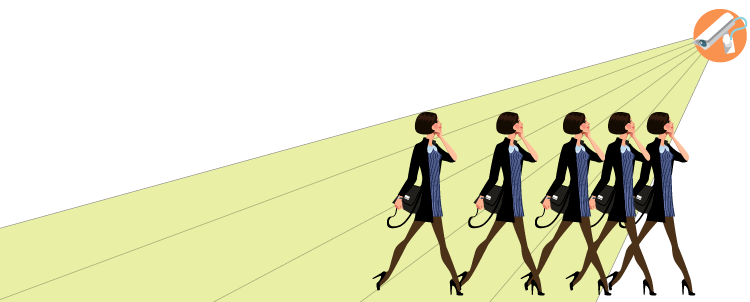
Tip
We do not recommend installing cameras at more than 75 degrees as long as in this case a person's head will blend in with the body and become undetectable.
Camera settings tips:
In order to detect objects on video, the plugin can analyze video stream of any resolution and bitrate. The server will decode the image to the format required for analysis. The video recorder resources can be used for image decoding. To reduce the resource exploitation, we recommend setting the following values in the device settings:
-
Resolution - VGA (640x480) or D1 (720x576)
-
Bitrate - from 256 to 512 kB/s
Tip
Usually, the devices transmit two video streams (main and substream). The plugin can use any of them for video analysis. Using a substream will allow you to save the resources of the dashboard camera. At the same time, the main stream can be configured for viewing and archiving.
To use the substream, enable it in the device settings and adjust its parameters according to the above stated recommendations.
See also
