This section allows you to create and edit areas that can be used to track the movement of persons within the protected perimeter and build various reports.
Open the Plugins -> Access Control Enterprise -> Areas section to set up the areas.
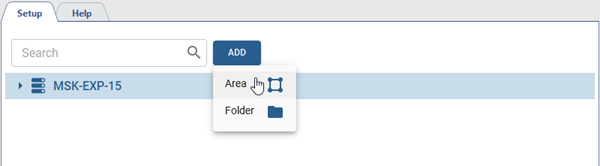
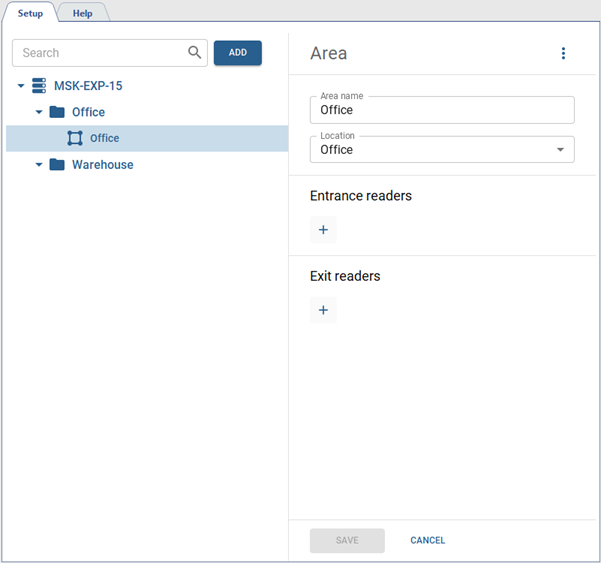
To create an area, press Add, select the Area item, specify the required parameters and select the readers that will identify persons entering and leaving the area.
Important
Only one server's readers can be used as entrance and exit readers. You can't select the readers from different servers in the area settings.
You can not use the same reader as an entrance (exit) reader in the settings of two different areas. At the same time, the same reader can be an entrance reader in one area and an exit reader in another.
If you delete a device on the TRASSIR ACS server, the areas, where that device readers were used, will be marked with an error message, and the Removed will be displayed instead of the deleted readers.
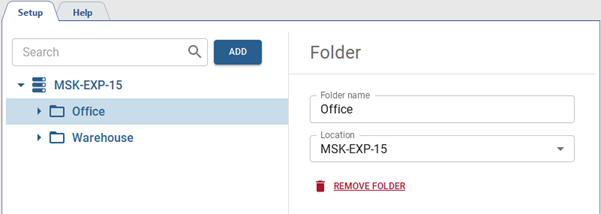
For ease of use, all areas can be grouped into folders. In order to create a folder, press Add, select Folder and specify the required parameters.