
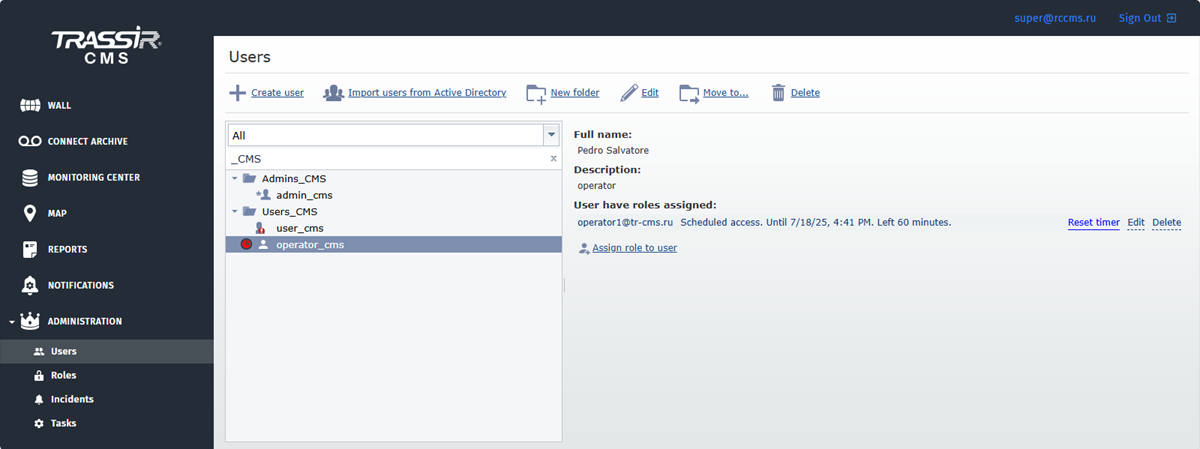
Administration of your video surveillance system is executed via users and rights, enabling or disabling user access to cloud devices or their specific features. It is also implemented through configuration of alarm events notification system and automatic tasks solution on the connected devices.
You can create new users or change parameters of the existing ones on the Users tab. Read more in Users.
Unlike the standard method for the device access rights allocation, where the rights are defined for each system user, TRASSIR CMS defines cloud device access rights by roles. Roles are a set of permissions and rules which determine access rights to various TRASSIR CMS objects. You can create roles and determine access to various objects and their features on the Roles tab. By assigning a role to a user, you grant or forbid them access to CMS objects and their features. For details see Roles.
TRASSIR CMS allows assigning multiple roles to a single user. See Specific features of assigning multiple roles to a user to make it clear which role will be active at one time or another.
Section Incidents lets you configure the distribution of different types of alarm events alerts that occurred on the connected devices.
TRASSIR CMS also allows creating and configuring automatic solution of various tasks, such as updating software on the connected devices. Read more in Tasks.
