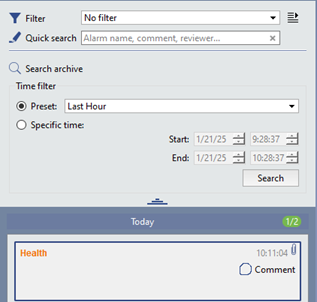
In addition to filtering current alarms, the operator can search for incidents in the archive based on a specific time interval. Regardless of the alarm display mode and filter settings, all incidents are saved to the database.
To search for incidents based on time:
- Press Search archive next to the lens icon.
- Choose one of the time-based filter options:
- Preset: search within preset time intervals. For example, to show incidents that have happened since the beginning of the day, select "Today"; To show incidents that have happened in the last 24 hours, select "Last 1 Day".
- Specific time: enter a time interval manually.
- Press the Search button.