
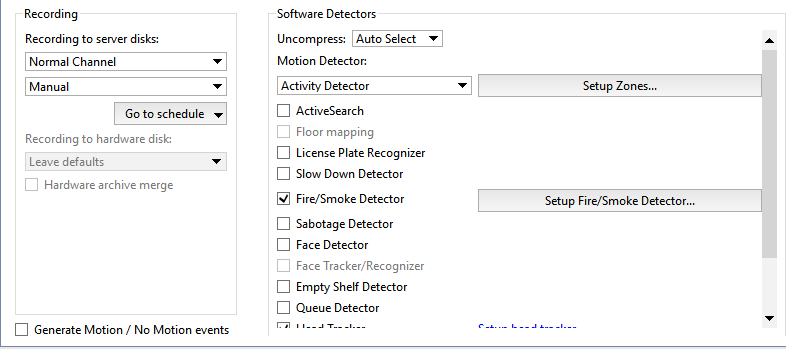
To connect and configure a fire/smoke detector, in the Channel settings set the Fire/Smoke Detector checkbox and click Setup Fire/Smoke Detector...
Then add a new zone by clicking the Add Zone button or edit an existing zone. Use the left mouse button to highlight areas for fire/smoke detection. Use the right mouse button to adjust the areas.
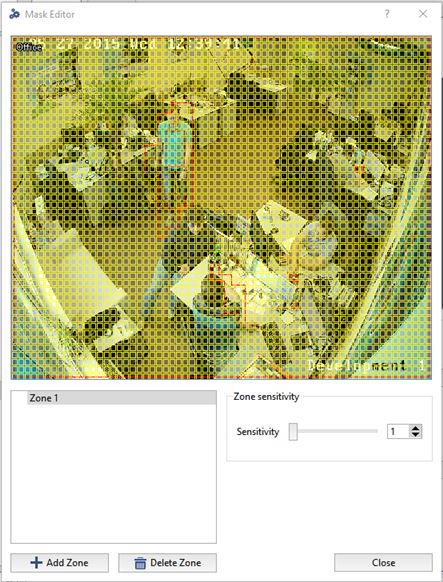
Use the Sensitivity slider to adjust the detector's sensitivity. The sensitivity settings are specified separately for each zone. Up the five independent detection zones can be created.
Tip
When working outdoors, the number of false alarms of the detector increases. To reduce the number of false alarms, the image in the camera field of view should be static. For this purpose, it is necessary to exclude zones with constant motion from the camera field of view.
