
This section lets you view and manage server license. Click Update license to select a new server license file. It may be required, for example, when expanding the system.
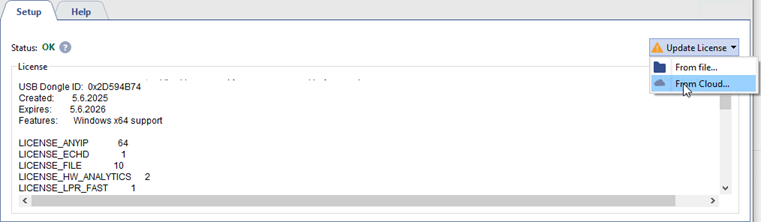
The number of available licenses is indicated next to each license name. Depending on the license type, you can connect various devices, access services, or activate plugins.
The following types of licenses are used:
-
Per channel: the number of licenses indicates the number of connected channels or plugins activated on channels.
For example, LICENSE_HIKVISION 20 allows you to connect 20 Hikvision IP devices to the server.
The LICENSE_DEEP_BASE 3 license allows you to activate the Neuro Detector plugin on any three channels.
-
Per server: the license applies to the entire server. The number next to the license indicates the limit on the number of devices, users, plugins, and other components that can be added.
For example, the LICENSE_PACS_MODULE 1 license activates the TRASSIR ACS plugin on the server.
-
Per device: The number of licenses indicates the number of devices, regardless of whether they connect to the server or the server connects to them.
For example, the LICENSE_HIKVISION_ACS 3 license allows you to connect 3 Hikvision Access Control devices to the server.
There are several ways to update a license:
- From file... - a license file upload window will open.
- From cloud... - a license file will be uploaded from cloud storage directly.
Operation of server in limited functionality mode
Limited functionality mode is a server operation mode in which some of the user functions are limited, such as:
- all server settings are unavailable (except for License and EULA);
- watching archive and video from channels is unavailable on server;
- no access to the operator interface.
Important
Specifics of server operation in limited functionality mode:
- The server continues to operate with all current settings (channels are running, archive recording is in progress, analytics plugins detect events, automation scripts are running, etc.). The server operation time in this mode is unlimited.
- When connecting a client to a server running in this mode, there is also no access to server settings, operator interface, archive and video from channels.
- When connecting a client version 4.4.x or lower to a server running in this mode, an error message is displayed in the connection settings.
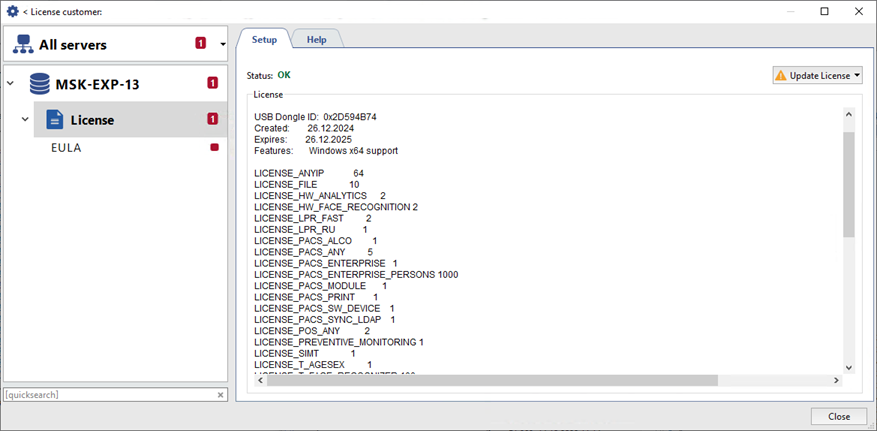
A limited functionality mode is enabled on server after the following user actions:
- license file update;
- changing password of the Admin user;
- updating software to the version in which the License Agreement was changed.
