
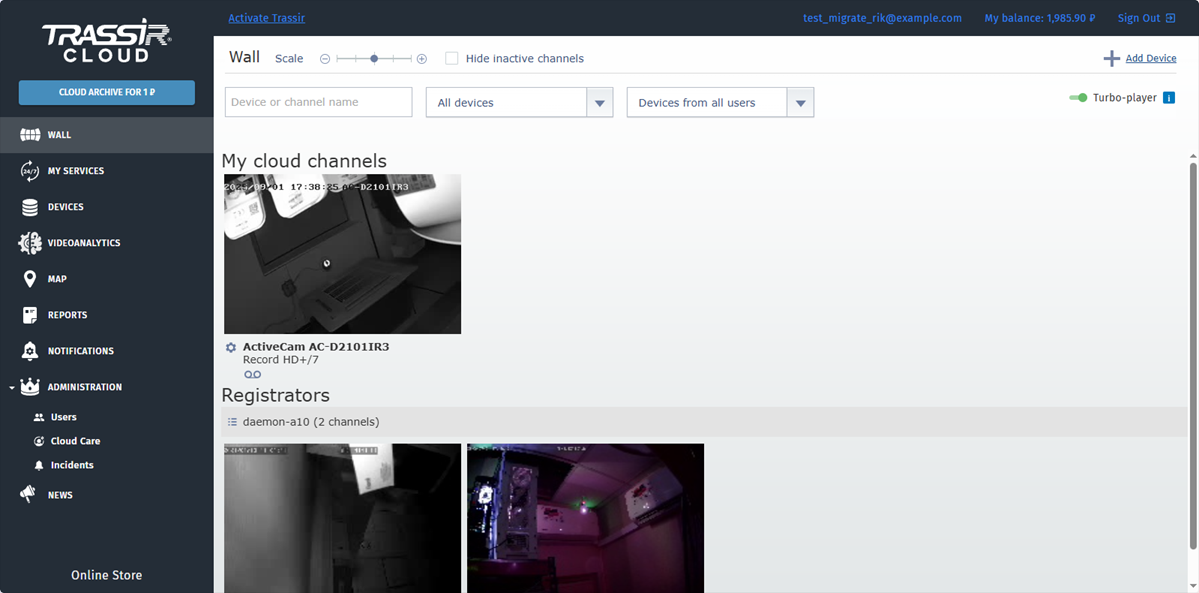
On the left, you can see the main cloud menu:
- Wall - watch video and archive of the connected cameras.
- My services - check the status of the connected services and add new ones.
- Devices - check the state of the connected devices and add new ones.
- Video analytics - enable, configure and view statistics on each video analytics service.
- Map - examine the location of the devices on the map.
- Reports - view and create reports on the operation of the devices connected to the cloud.
- Notifications - customize notifications about the devices' state changes, delivered by email or push-notifications.
- Users - add users and configure user rights.
- Cloud Care - grant access to TRASSIR partners for remote device and service configuration via TRASSIR Cloud Care.
- Incidents - customize the types of event generating alarm incidents.
- News - learn the latest news on TRASSIR products and services.
- Online Store - go to our online store.
Use the top menu to:
- Personal account - update your personal information, and view information about your last connection and about those currently connected to the account.
- My balance - replenish the balance, check its current state, view payments and expenses history, and also activate a special code.
