
If the Access Control settings include the mode when the visitor's or any other person's passage should be confirmed by the near located operator, then, in this case, the passage confirmation window will be displayed on the operator screen.
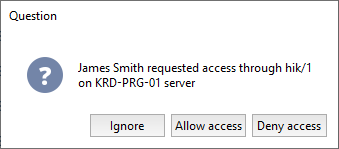
The operator can use the following options:
- Ignore. The operator can use this option to close the confirmation window.
- Allow access to grant passage.
- Deny access to forbid passage.
Important
The Access Control settings set the time during which the operator can confirm the passage. After this time expires, the confirmation window will be closed, and to reopen it, the passing person will have to repeat the authentication procedure.
Tip
Read more on how to enable and configure the passing confirmation mode in Access points settings.
