
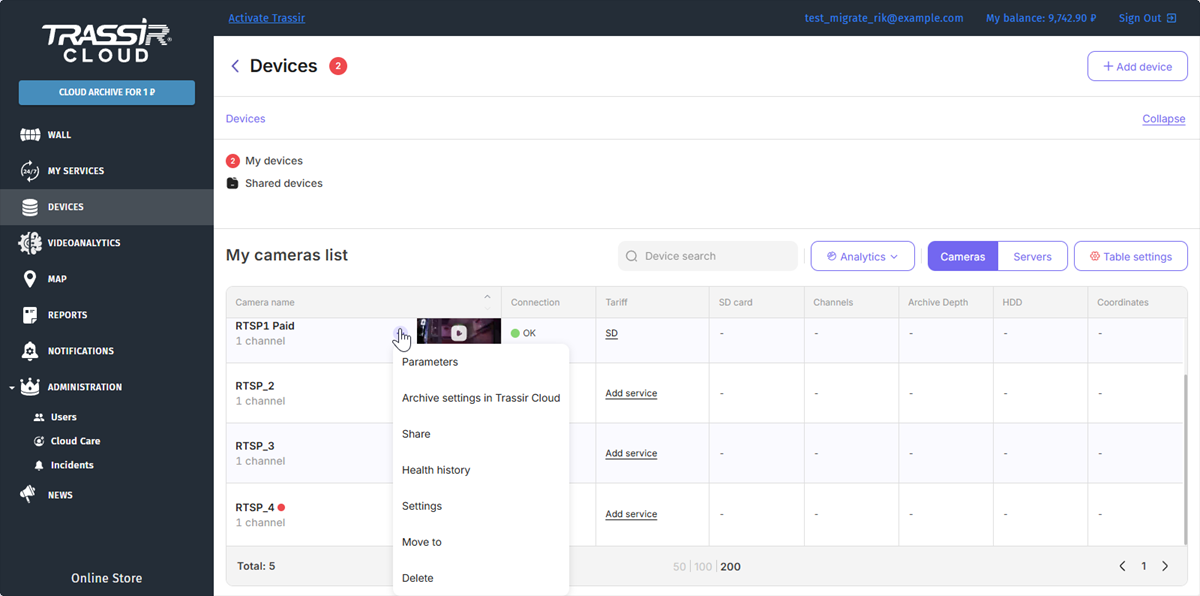
Press the button next to the cloud device name and select Parameters to go to the device parameters.
Tip
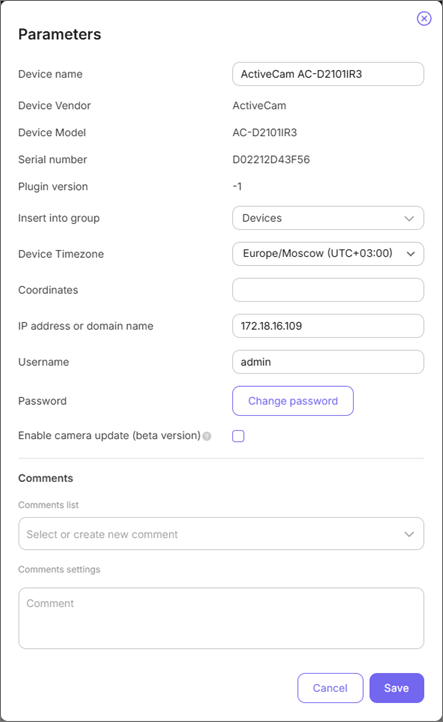
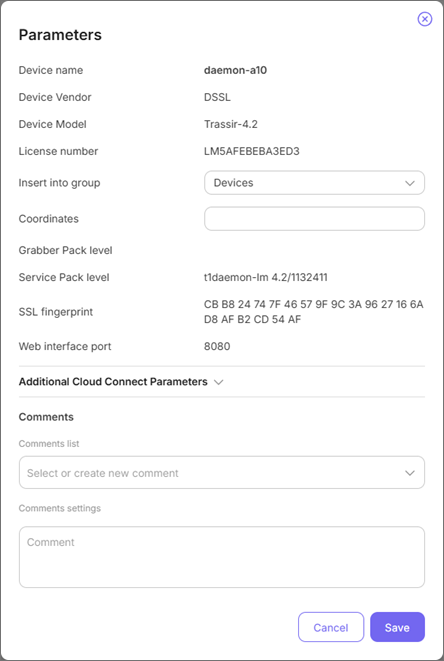
The set of parameters can vary according to the selected device.
You can check or configure the following parameters:
- Device name - the name of the device in the cloud.
- Device Vendor and Device Model - the name of the vendor and model of the connected device.
- Serial number - device serial number.
- Plugin version - device firmware version.
- Insert into group - the name of the group to which the device will belong to.
- Device Timezone - select the device timezone.
- Service Pack level and Grabber Pack level - the version of the main modules and the version of drivers for IP cameras and video capture boards.
-
IP address or domain name - static IP-address or IP-device DNS-name.
Tip
If the device is connected to the local network and doesn't have a public IP-address, here you can enter a router address where the port forwarding is configured for the selected device.
- Username and Password - user login and password configured on the device.
-
Server port (video) - server port (SDK port), configured on the IP-device.
- SSL fingerprint - SSL certificate identifier.
- web interface port - video recorder web interface access port.
- Additional Cloud connect parameters - network parameters for the cloud direct connection to the server.
- Enable camera update - download the latest plugin version upon the camera start.
