
Open the Plugins -> Access Control -> Areas section to set up the zones.
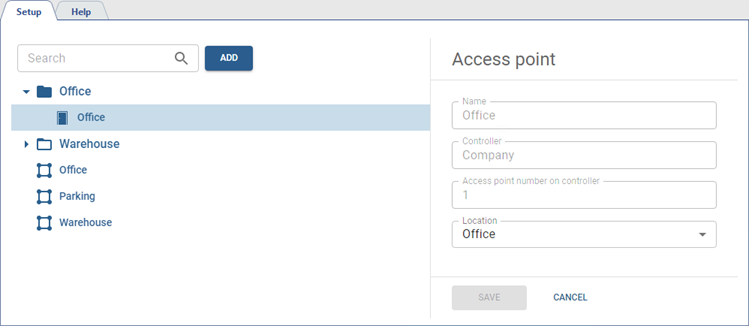
All access points appear in the Areas section automatically. You can also group them into folders for your convenience. To do this, create the required folders amount and select Location in the access point settings.
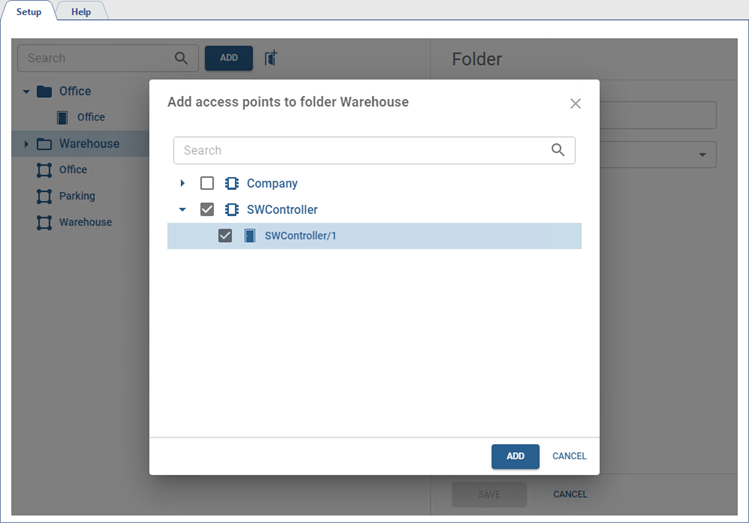
In order to add several access points to a single folder, select the folder in the object tree and press  and then in the opened menu, select the access points that should be in this folder.
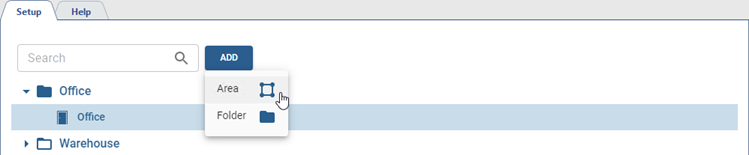
In order to track the movement of persons inside the secured perimeter, you must create zones and select readers that will identify persons entering and exiting the zone. To do this, click Add, select Area and specify all the necessary parameters.
-
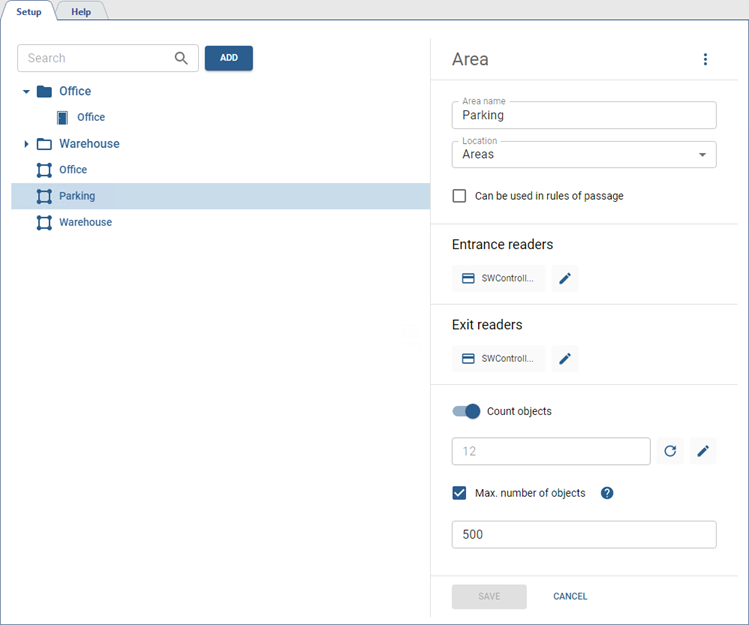
Select Entrance readers and Exit readers, that mark the entrance and the exit of the area by a person.
-
Check Can be used in rules of passage to be able to specify this area in rules of passage settings (see Rules of passage).
-
Apart from that, TRASSIR ACS can count objects in the area (for example, cars on a parking lot). This information can be presented on a display (see Connect Digital Display).
To activate this mode, enable Count objects and enter the current number of objects in the area. The entered number will be used automatically, corresponding to the number of the objects that entered and exited the area.
Moreover, the mode can be used to limit the passage by the number of objects in the area. The settings are located in Additional access conditions in the reader configuration (see Card reader settings). Check Max. number of objects and enter the corresponding number in the field below.
