
Personas is a database that contains information about people. You can create any person database structure consisting of folders and persons.
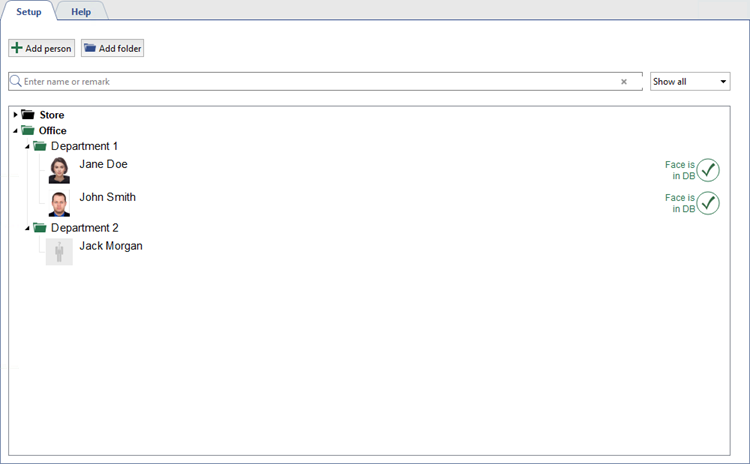
The persons' database is used in the operation of the following server devices and modules:
- When personal videorecorders are used, the Persons database is needed to identify the person who received or returned the personal videorecorder and the video he filmed.
- For the face recognition plugin, anthropometric data is stored in the database to compare faces, recognized from the video, and the persons from the database. Select Show faces DB in the filter and only persons with entered anthropometric data will remain in the database.
- For TRASSIR ACS plugin, which has an extended set of person's parameters and its own interface for their creation and editing (see section Personnel).
Folders creation
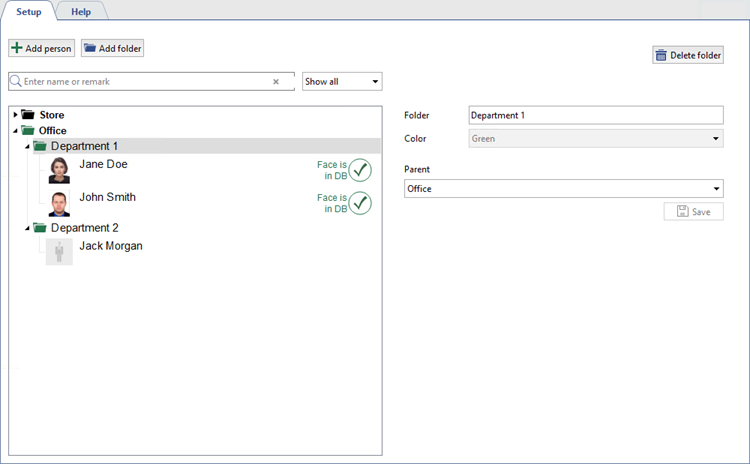
To create a folder click Add folder button and fill in:
- Folder - folder name
- Color - folder color. When creating a folder of the 2nd level and above, the color will be the same as the 1st level folder.
- Parent - parent folder.
Persons creation
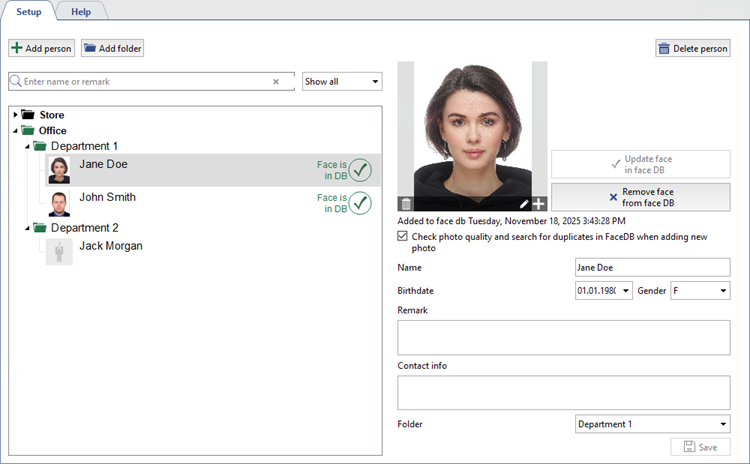
To create person, click Add person button and do following:
- Click Add photo and choose photo of the person.
- Enter person's name in Name field.
- Select Birthdate.
- Select Gender.
- Enter Remark and Contact info.
- Select Folder where person will be located.
Tip
The Add to Face Database button converts the person's photo into a set of anthropometric data and adds the person to the Face Database (see section Face database).
