
In order to keep track of your video surveillance system state, you can set up sending unlimited notifications to the email or mobile app.
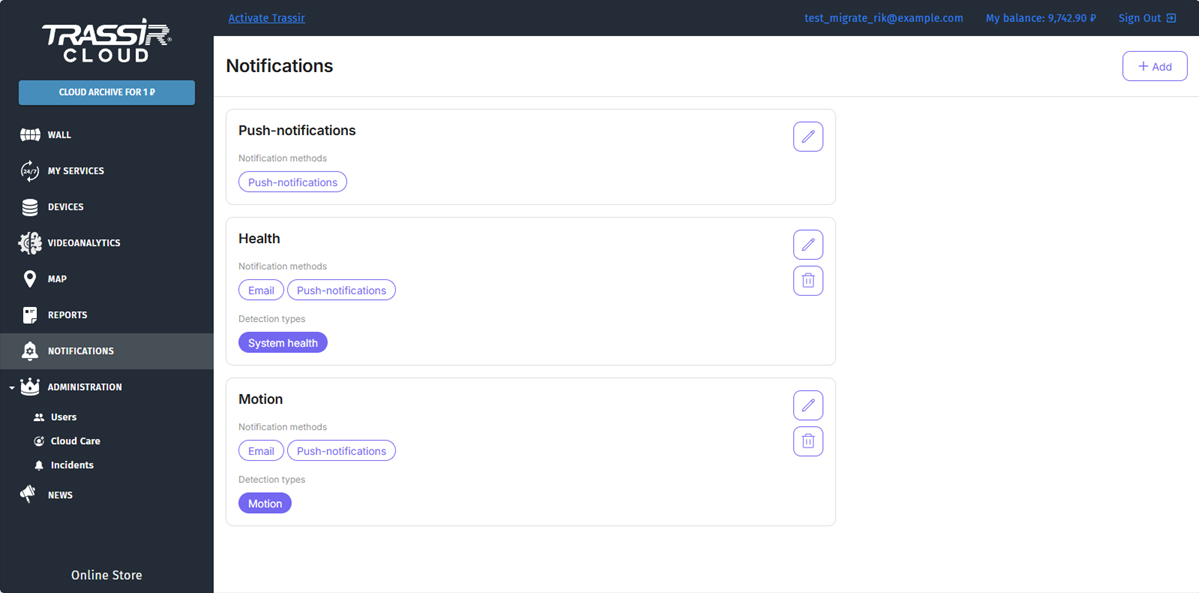
This section lets you create and configure the following notification types:
- on health - messages about health indicators changes;
- on motion - messages about the presence of motion in frame;
- on sound - messages about the occurrence of sound near the camera;
- on person in frame.
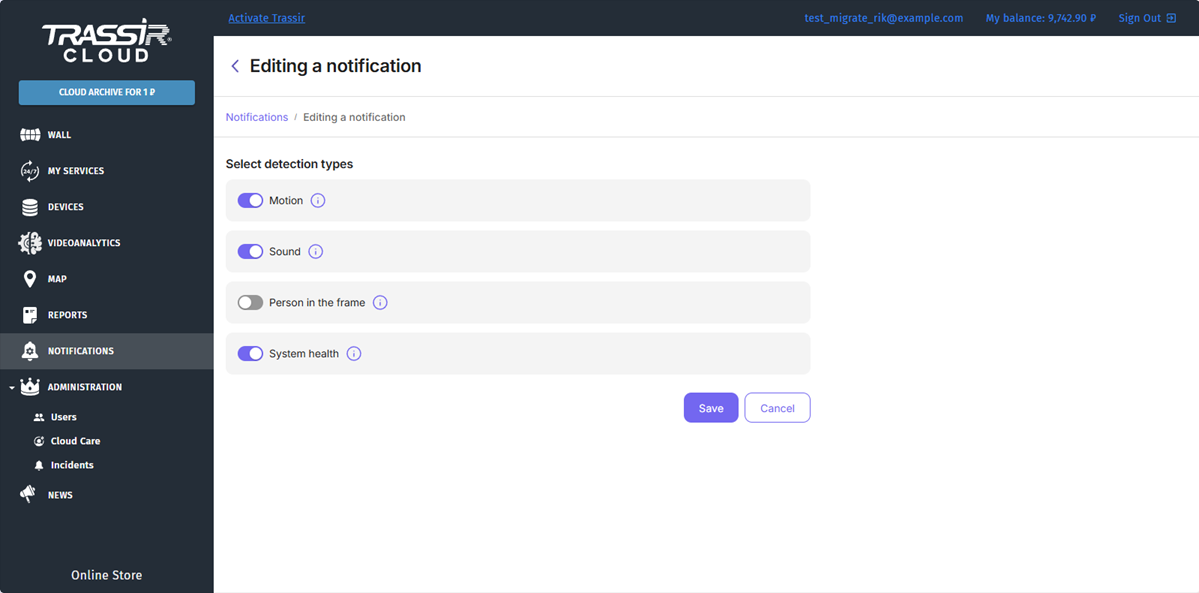
If one or more devices have the paid service activated, those devices have PUSH notifications available that will come to the operator interface and in the mobile app. To set them up, click  near Push-notifications menu item and select the notifications you would like to receive.
Tip
In case the Push-notifications are enabled on the devices to which other TRASSIR Cloud users have access, these users will also receive the same messages.
You can also create your own notifications. To do this, press Add.
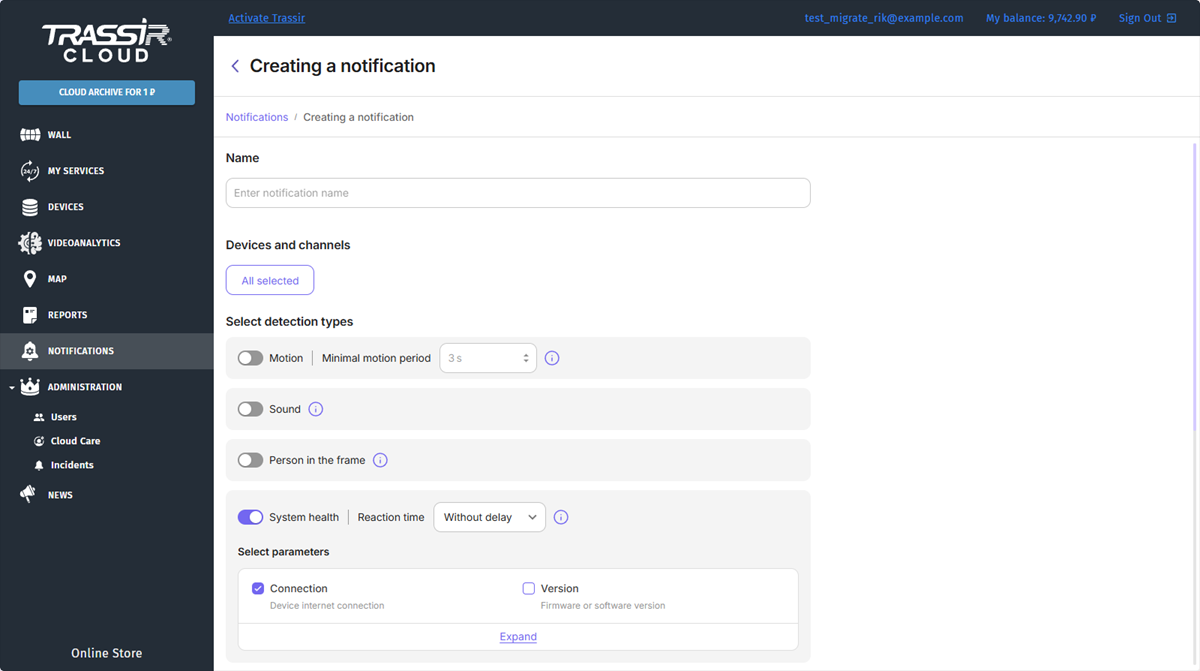
Enter a name for the notification. By default, all devices and channels are selected for notifications. In the Devices and channels field, click the All selected button to specify individual devices or channels for which you want to receive notifications.
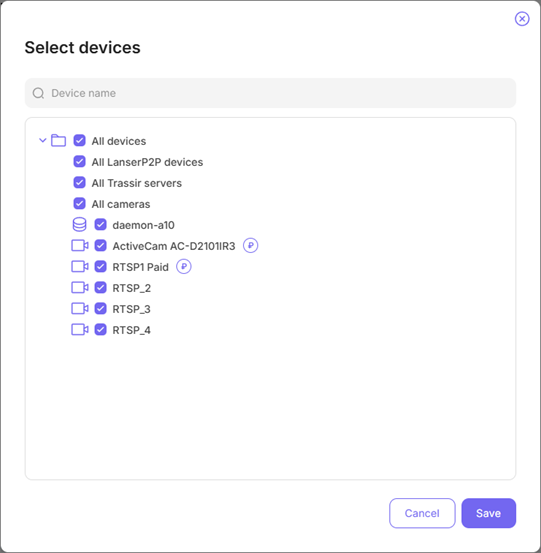
Next to the cameras, you'll see icons that indicate the following:
Table 133.
 |
A paid service is activated on the camera. |
 |
The camera supports hardware people detection. |
Select the notification type and set up its parameters:
-
Set the minimal motion period for motion notifications.
In order to get messages about motion in a frame, you should enable and configure Motion detector and detection zones in the channel settings.
-
Enable Sound for sound notifications.
In order to get messages about the sound near the camera, you should enable audio stream transmission in the device settings and also enable Sound detector and configure sound threshold in the channel settings.
-
Enable Person in the frame in order to receive notifications on the person in the frame.
In order to receive messages on the person in the frame, the camera should support the hardware people detection (you can find a list of cameras on our website). Such cameras are marked in the device adding window with the following icon
.
-
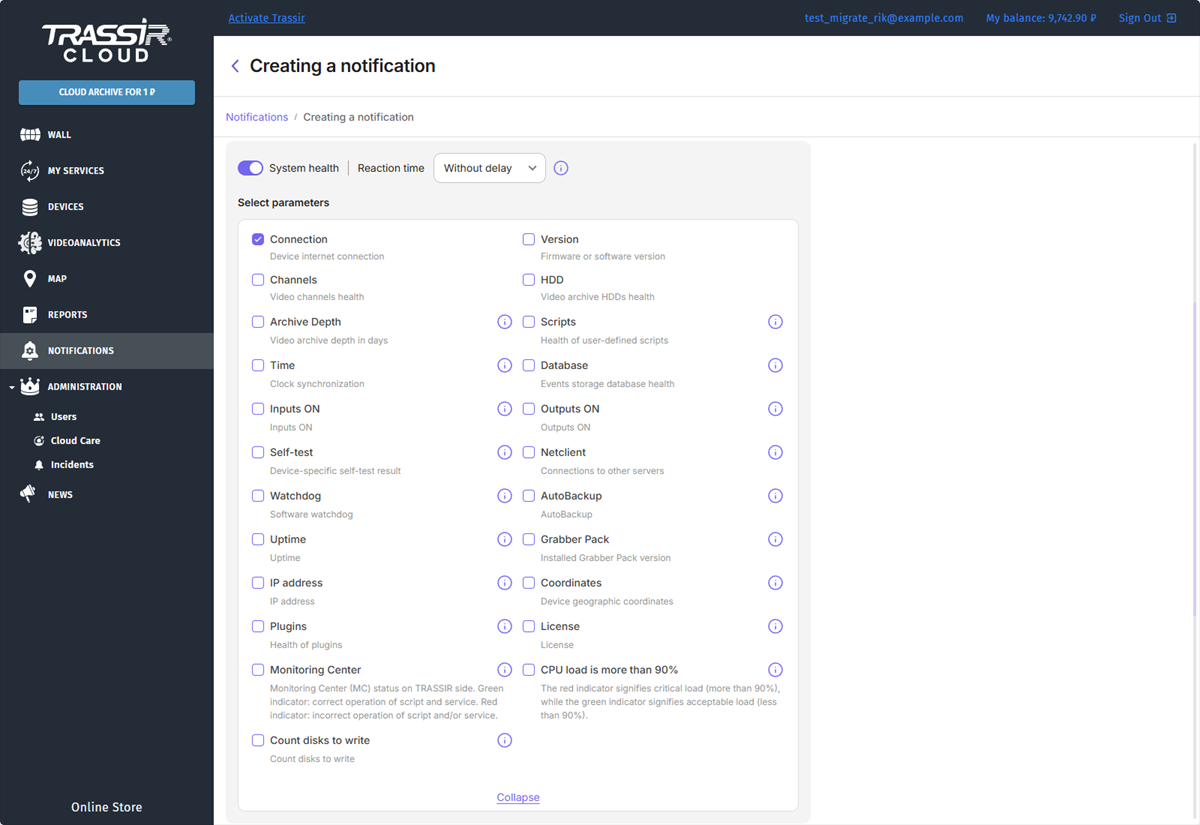
For health notifications, select indicators you want to track. You can select indicators for cameras as well as for your server.
Specify Reaction time to send notifications after some time after the indicator values change: Without delay, 10 minutes, 1 hour, 2 hours.
Important
The Motion, sound and person in frame notifications are available only on cameras with the archive recording to the cloud service connected.
System health notifications are available on all devices connected to the cloud and their channels.
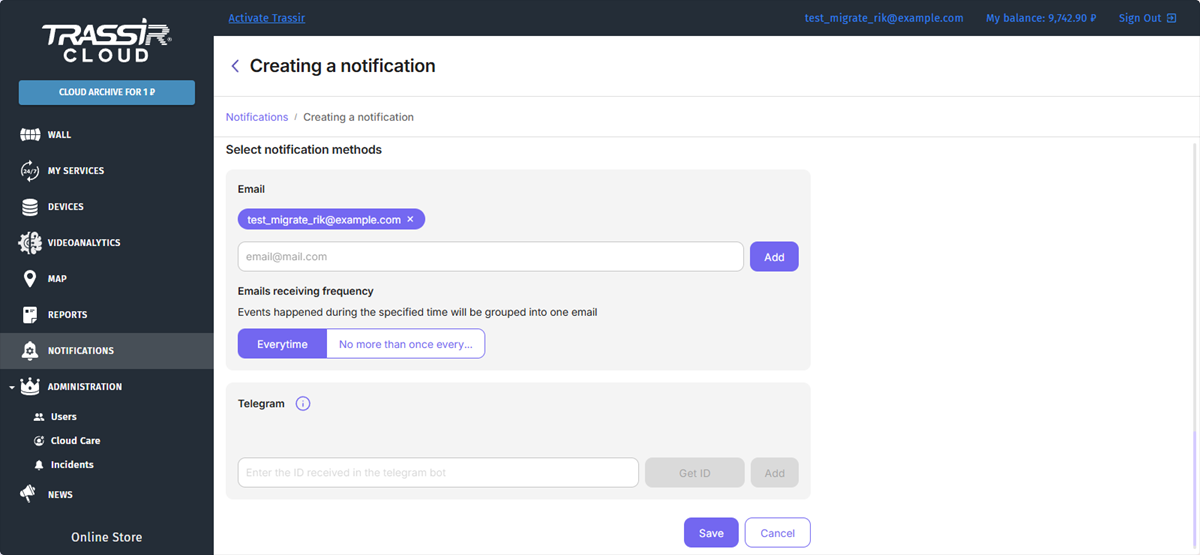
Select notification methods. In the E-mail field, select the list of e-mail addresses that will receive notifications.
You can configure the frequency of notifications. In order to receive them right after the indicators change their state, select Everytime. To receive messages about the indicators' state alterations for a certain period, select No more than once every... and specify the time period.
Tip
If there are no addresses in the e-mail list, notifications will be sent to the operator interface and in the mobile app.
