
In order to create a new template loop, open the settings, select Automation and click New template loop.
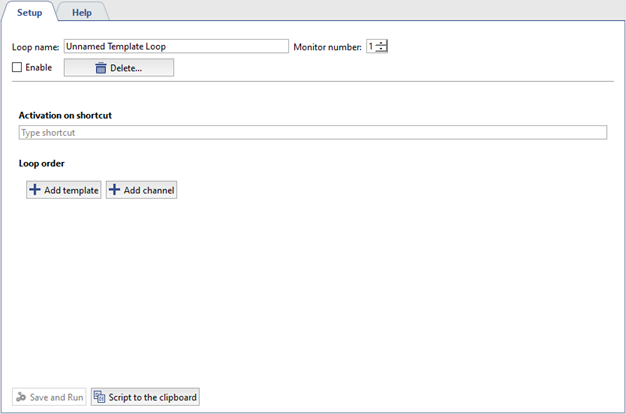
Specify the following parameters in the window that opens:
- Loop name - set any name you like.
- Monitor number - select the number of the monitor on which the template loop view will be displayed.
- Activation on shortcut - press any key or combination of keys to start the loop.
- Loop order use Add template and Add channel buttons to add templates or channels that will be displayed in this loop. Use arrow keys
 to change the template and channel display order.
- Set the display time for each template or channel, in seconds.
- Set the Enable flag to display the customized loop on the monitor upon pressing hotkeys.
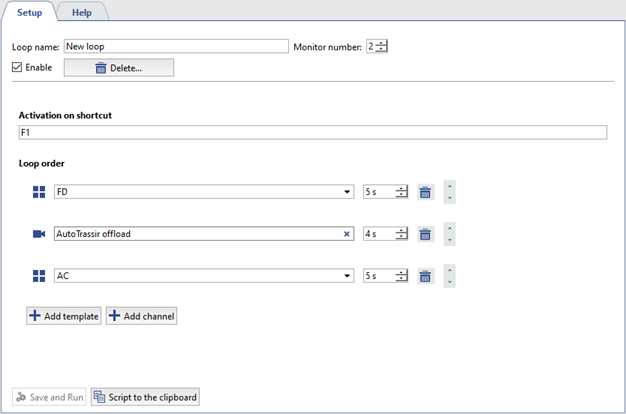
Check correctness of the specified settings and press Save and Run.
