
In order to add POS-terminal click ActivePOS -> Terminals menu items and press Add POS button.
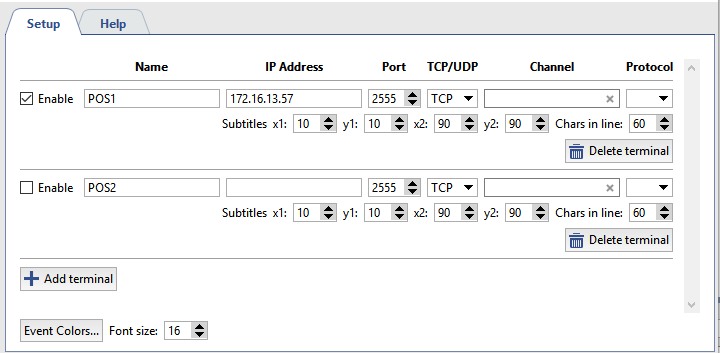
Specify the following in the point-of-sale terminal's settings window:
- Name - The terminal's display name in the system.
- IP address - The address of the server providing information about transactions.
- Port - The server port.
- TCP/UDP - The transport protocol.
- Channel - The camera to which the point-of-sale terminal will be bound.
- Protocol - The protocol used by the retail system (point-of-sale terminal).
- Subtitles - coordinates of upper left and lower right angles of rectangle where subtitles will be outputted (POS operations content).
- Char in line - The maximum number of symbols to display on a single line. The size of the area for displaying captions is considered when displaying lines.
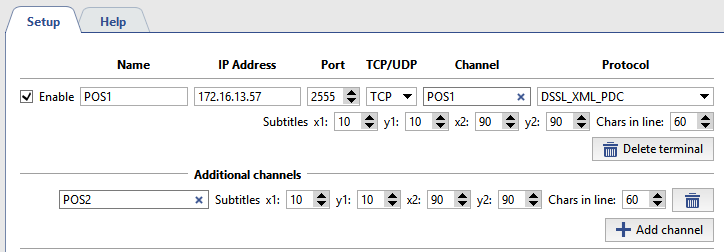
Subtitles from one POS-terminal can be distributed into several video channels. Accomplish this adding additional channels and set Subtitles position.
Important
The number of additional channels is determined by corresponding software license.
If the settings are correct, the events generated by the POS terminal will be displayed in the operator interface in the Event Log of POS terminals and on the selected channel.
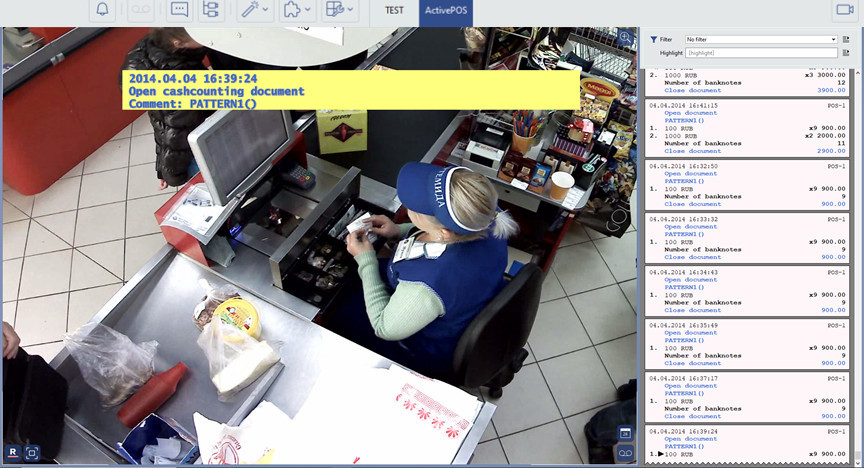
You can select the color and font of the events generated by POS terminals, in the event log and on video, if necessary. To do this:
- Set the font high in the Font size field. In order to choose the event colors, press Event colors...
-
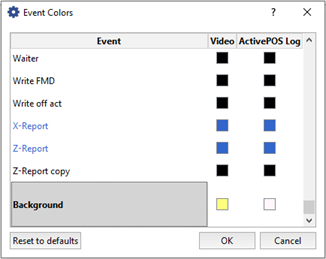
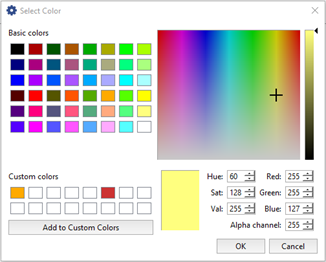
In the opened window, select the color of the event by clicking on the corresponding color icon. The colors for similar events can be changed by dragging the color icon from one event to another.
Tip
When defining the background color of ActivePOS events, use Alpha channel field to set the background transparency level: from 0(fully transparent background) to255(opaque background).
Location settings
Locations allow to associate certain image from the camera with operations done on POS.
For example, a gas station is equipped with several cameras directed on fuel dispensers. Using special identifiers transmitted to the server along with payment data, you will bind payment receipt with certain video channel. Thus, the image of each fuel dispenser will be overlaid with information about the payment for fuel dispensed only through it.
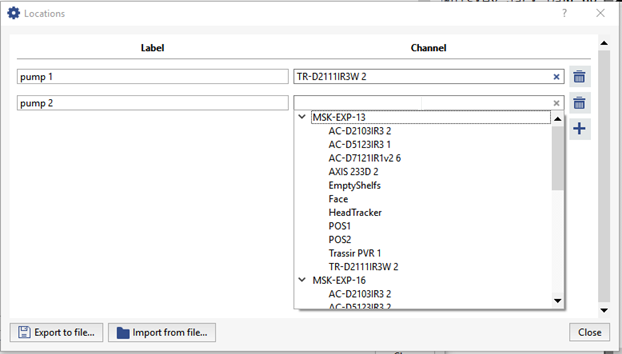
To do this press Location settings... button and establish matching of Identifiers and Video channel.
Tip
You can use Export to file... and Import from file... buttons to transfer location settings from one server to another one.
Important
Location settings can be done only by using DSSL_XML protocol (see section DSSL XML for ActivePOS).
