
Important
The number of network channels recorded is determined by the number of LICENSE_NETREC licenses on the server.
Available licenses are listed in the server settings on the tab License.
The server version of the software supports recording of an archive from devices connected to another server as if these devices were connected directly to it.
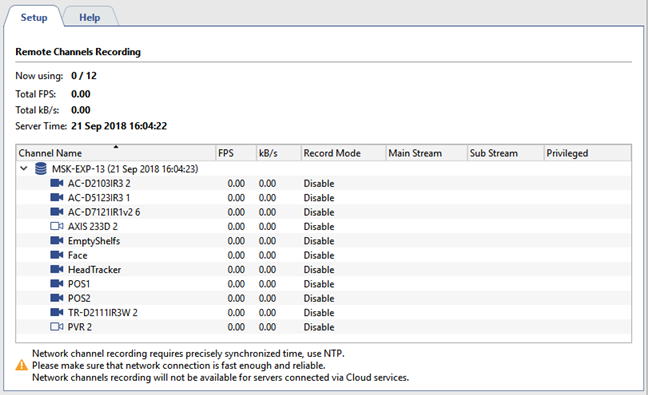
Statistics are shown in the top part of the Recording network channels tab: License usage and restrictions, cumulative statistics for the stream of recorded network channels, and the current time. Below is a table with a list of network-connected servers and their channels. It visually depicts the current recording mode.
There are several modes for recording a network channel:
- Permanent - Recording will take place continuously;
- On Detector - Recording will take place when there is motion in the frame;
- Like On Server - Recording will take place using the same settings configured for this channel on the network server;
- Disable - Disables recording of this channel.
Tip
Note that an operator enabling manual recording of a network server in no way affects the recording of network channels on your server.
You can choose which streams will be recorded and mark one or more channels as privileged. The recording depth of the main stream for these channels will be determined by special archive settings.
Warning
To properly record network channels, time must be synchronized on the servers. The local time of each network server is shown next to its name in the table. If it differs from your server's time, you must configure time synchronization across the network. The recommended synchronization period is two hours.
