
Warning
The description of this feature is intended to be used in the Linux-based TRASSIR OS
All network storage hard drives that will be used to store the archive must be formatted to the EXT4 file system.
In order to configure server connection to the network storage via iSCSI, go to the iSCSI tab and click the Change button, if necessary, and enter an Initiator name. This name will be displayed in the network storage's log when the server connects to it.
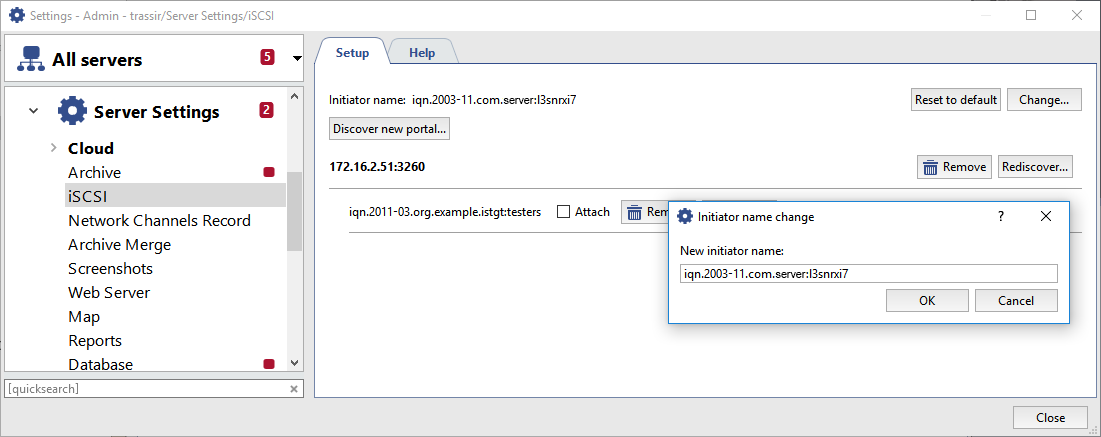
Then click the Discover new portal... button and enter the settings for the portal being connected to:
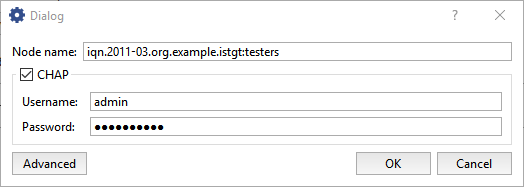
- Portal - The IP address or DNS name of the portal being connected to.
- Port - The iSCSI port, configured in the network storage.
- If you entered CHAP authentication parameters when configuring the network storage, set the CHAP checkbox and enter your username and password.
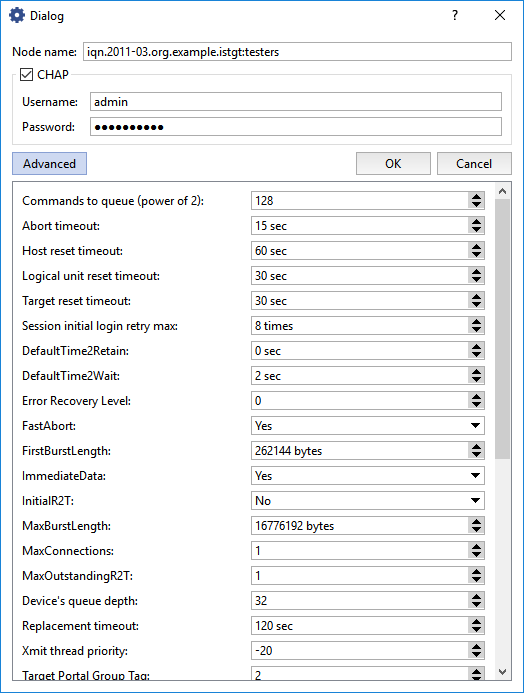
- Click the Advanced button to expand the advanced connection settings. You can change them, if needed.
Click OK and the server will attempt to discover the iSCSI portal using the specified settings. The window will either show the new portal or display a connection error message about.
If you need to change a portal's connection settings, click the Setup... button and make the necessary changes in the window that opens.
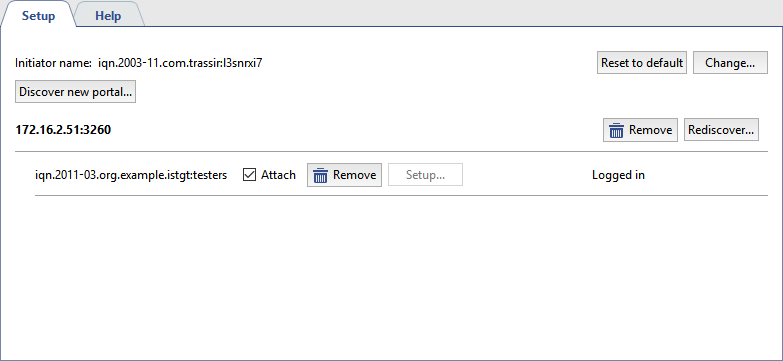
To connect the server to the network storage via iSCSI, set the Attach checkbox. The state will change to Connected and the logical disks configured on the network storage will appear on the Archive tab.
