
The Neural Empty Shelf Detector plugin runs:
- locally on an NeuroStation server with TRASSIR OS;
- remotely on all servers running TRASSIR version 4.x and higher, connected to the NeuroStation server, which the detector uses as the Analytics Server. For more information on connecting the server, see Connecting to a new server.
Tip
If video frame analysis is performed on a remote server, the user specified to connect to the server must have remote analytics enabled in their settings.
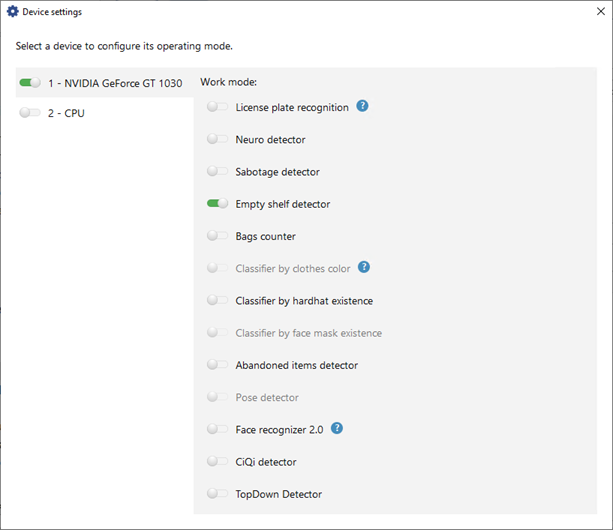
Before setting up the detector on the channel, perform the following:
Important
The number of channels on which the Neural empty shelf detector is available is determined by the number of LICENSE_DEEP_SHELF licenses on the analytics server.
Available licenses are listed in the server settings on the tab License.
