
You can see the number of connections to this account and the current user name in the upper window part. Click username to proceed to the account settings:

Here you can:
- Manage your personal data: specify your personal data and change your password.
- Manage sessions and view actions: view current sessions and user activity history.
- Manage data collection: configure collection of information on user actions from connected servers.
Click the links to go to the corresponding cloud pages.
The User action history block shows manipulations with your account. To display the particular information, change the filter settings and click the Display history button.

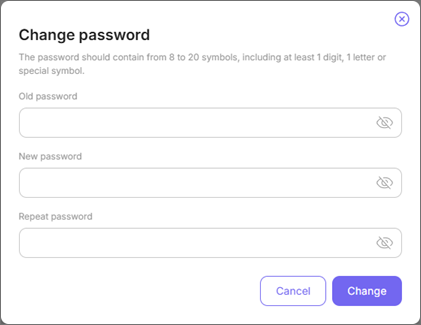
To change your password, click the Change password button. In the opened window, enter your old and your new passwords
Mailing lists
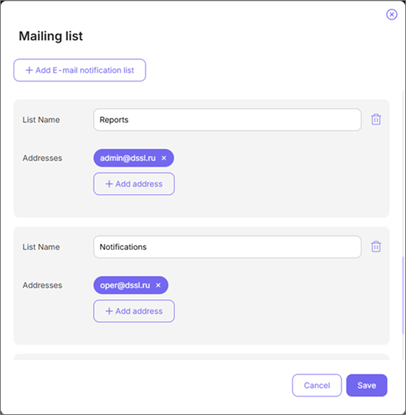
The cloud offers a wide range of options for your video surveillance system monitoring. You can define and build the mailing lists for Notifications or Device operation reports.
Build the required lists. For example, one mailing list for reports and the other one - for notifications.
Configure user actions data collection
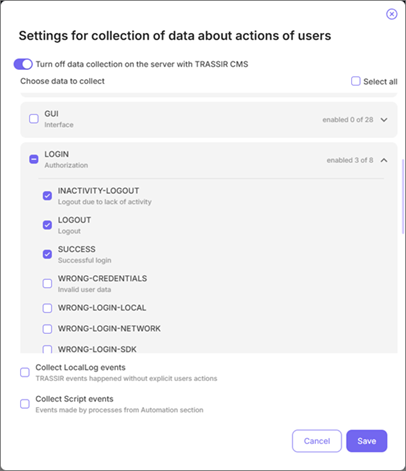
TRASSIR CMS can collect data about user actions on connected servers for display in the user actions report.
Click Tune button and select the data to collect.
Table 140.
 |
|
