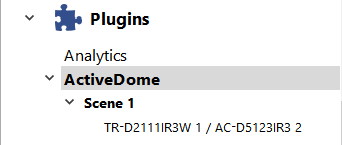
The basic element of configuring ActiveDome is the scene. A scene is a system of connected overview- and PTZ cameras that provide video surveillance for a specific zone. One scene can simultaneously use up to 4 overview cameras and 4 PTZ cameras in any combination. The number of scenes is unlimited.
Tip
- Overview camera - A fixed-position camera that gives a wide shot.
- PTZ camera - A high-speed dome camera that points immediately at a desired object.
For example, a single PTZ camera and four wide-angle overview cameras can provide 360° monitoring of a space.
Important
The number of camera pairs in a scene (1 overview and 1 PTZ channel) is determined by the number of LICENSE_AD_BASE licenses on the server.
The number of additional overview channels that can be added to any scene is determined by the number of LICENSE_ONEMORE_FIX licenses on the server.
Available licenses are listed in the server settings on the tab License.
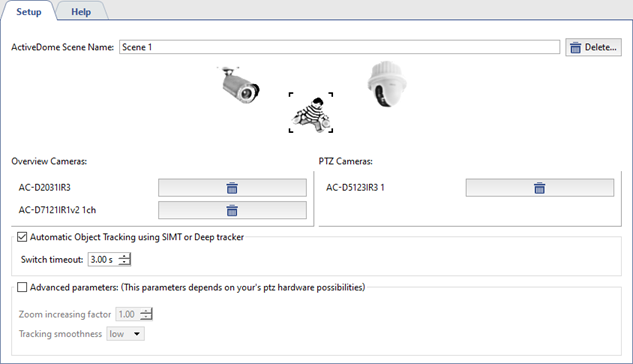
After clicking Create new..., a window will open where you can configure the new ActiveDome scene. This window supports changing the scene's name, adding overview- and PTZ cameras, and deleting the scene.
Tip
An inventory of available PTZ cameras is generated from the list of PTZ devices that have been bound to an appropriate serial port. Additionally, you can use SpeedDome PTZ IP-cameras. IP cameras are added and configured just like other IP devices.
- The Automatic Object Tracking using SIMT of Deep tracker options enables Automatic ActiveDome mode .
- The Switch timeout parameter determines the amount of time for which an object will be tracked before the camera will switch to a different target (if one exists). The values range between 1 and 10 seconds.
- Next, establish the correspondence between the overview- and PTZ cameras.
Tip
A list of all created scenes is shown in the settings tree.