
Preventive monitoring is a function of CMS designed to monitor the status of devices and prevent their failure. The function tracks health indicators of devices by analyzing data from Monitoring Center and shows potential issues.
Important
To enable the Preventive Monitoring function, a LICENSE_PREVENTIVE_MONITORING license is required on the server.
Available licenses are listed in the server settings on the tab License.
Preventive monitoring uses color indicators in the device table to display the equipment status:
- green means normal operation
- yellow points to a noncritical deviation
- red warns about a critical situation that needs immediate reaction
- gray means absence of data or sensor.
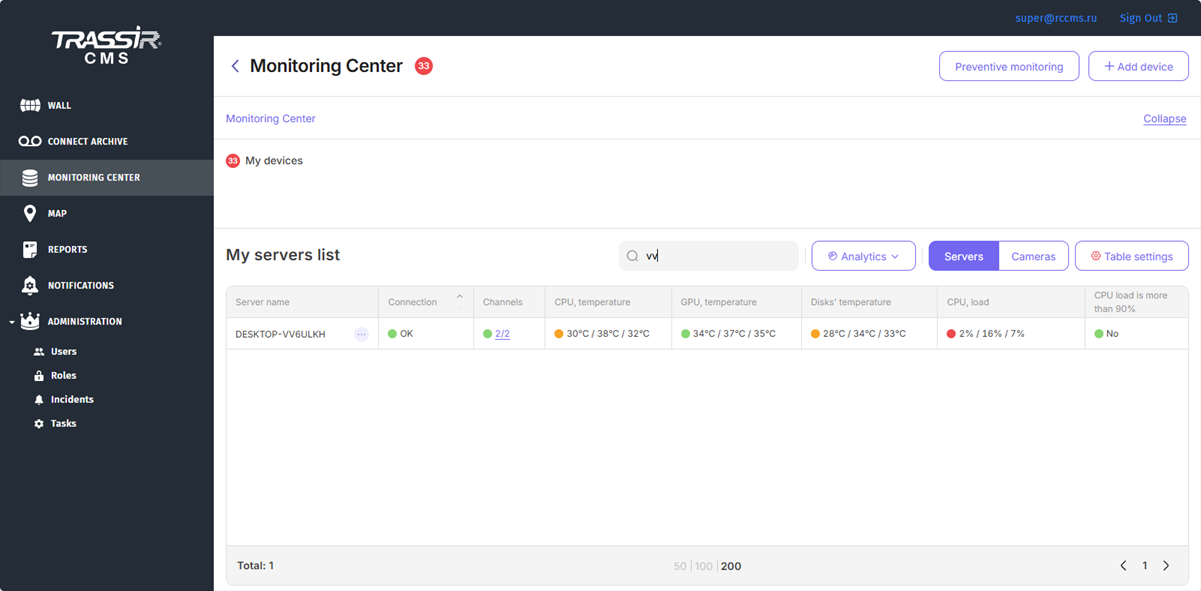

To enable preventive monitoring and configure threshold values of indicators that will be used for analysis and color indication of indicators in the device table, click the Preventive Monitoring button.
Important
Only an administrator with superuser rights can change the system settings of Preventive monitoring.

The window that opens already contains threshold values for the indicators. It is recommended to adjust them depending on the normal values of your servers. Any values can be changed or deleted so that they do not affect the color indication. If threshold values are not set, the indicator will be gray.
When setting threshold values, take into account the following rules:
- The minimum threshold sets the lower limit for the actual values.
- The median threshold sets the standard that the actual value should equal.
- The maximum threshold sets the upper limit for the actual values.
Response threshold: the color of the indication depends on how much the actual value differs from the threshold:
- 5 or less units: indication in red.
- 10 or less units: indication in yellow.
- more than 10 units : indication in green.
For example, if the actual minimum value is 29 and the threshold is 25, the indicator will be yellow. If the actual minimum value is 27, the indicator will be red.
Tip
The color changes when any of the actual values of the indicator exceeds the specified threshold. For example, if the minimum and maximum CPU temperatures are within the normal range, but the median differs from the specified threshold, the indication will still change color to red or yellow.
If you leave the median field blank, the indication will only change depending on the minimum and maximum values. Therefore, to avoid confusion, it is recommended to specify only those thresholds that need to be monitored.
Tip
To monitor the device status in a timely manner or to promptly inform about critical situations, you can use notifications in the operator interface or via email. Such notifications contain information about the status of device parameters, including red and green indicators, as well as indicators for devices with no data or connected sensor.
For details, see Device status notification settings.
