
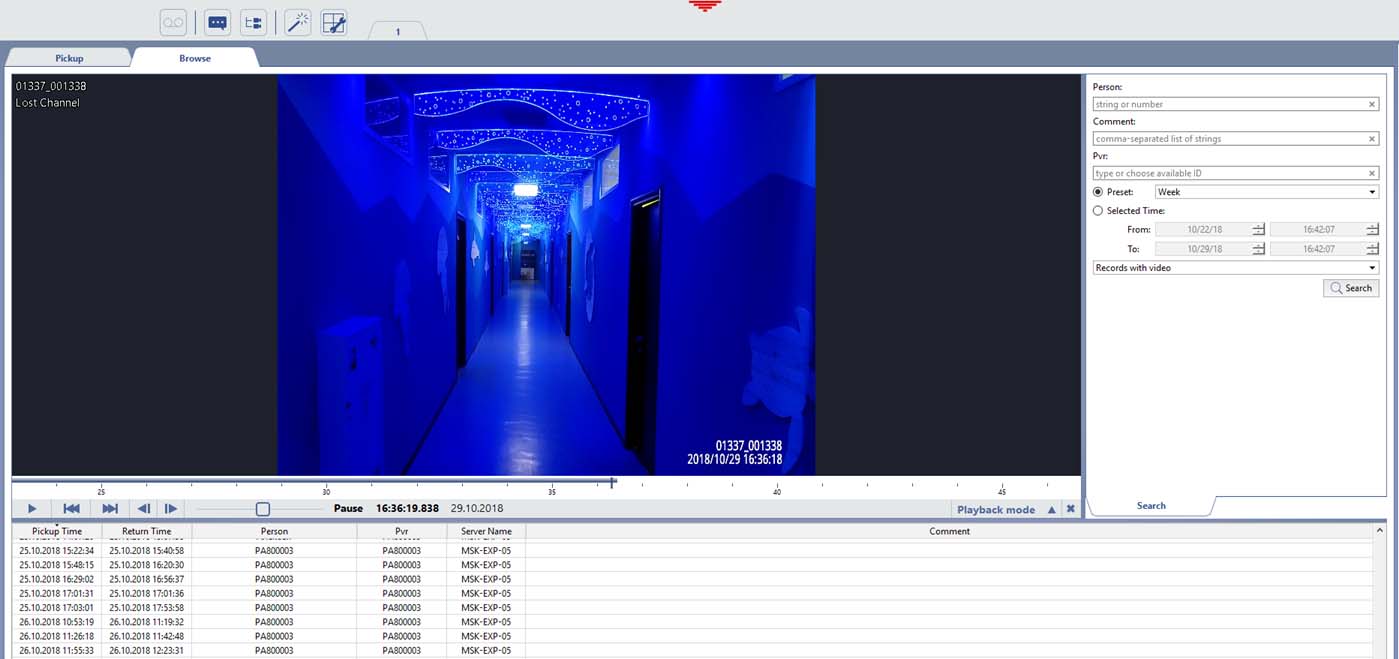
You can find and view video archive saved from all PVRs connected to the server on the Browse tab.
For video records search in the PVRs archive use the following options:
- Last, first and middle name -name of the employee who has returned the PVR.
- Comment - comment about the employee who has returned the PVR.
- Device ID - the identification number of the PVR.
- The time period, in which the employee held the PVR, is selected from the presets or sets in the From and To fields.
- All PVR pickup/return records are displayed in the list by default, including those when the PVR has been recording nothing. Select Records with video to leave only those PVR pickup/acceptance records, during which the device has been recording the video.
Activate the records search by clicking Search. Upon the search completion all records, satisfying the search parameters, will be displayed. Click any record to start reviewing the PVR archive.
Tip
Photos shot by a PVR can be viewed only in Cam Manager.
