
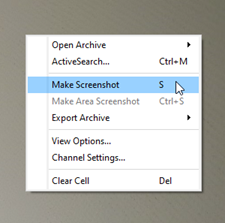
You can save the current image to a picture at any time. To do this, you can use one of the suggested ways:
- press
 in the menu;
- press S on keyboard;
-
open the context menu and select Make screenshot.
Tip
The destination folder for all screenshots is defined in the client or server settings. For more details, see the corresponding sections of the Administrator's Guide (see sections Client settings or Local server settings).
