
You can enable the demo mode of the server both online and offline. Follow the steps below to activate the TRASSIR software on a computer without Internet access.
Activation steps:
-
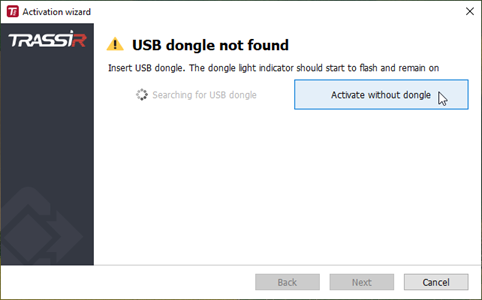
Launch the TRASSIR software. In the Activation Wizard window that appears, click Activate without dongle.
-
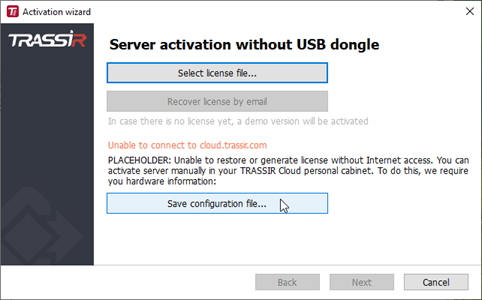
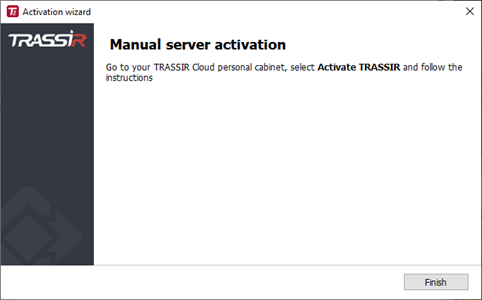
Activation Wizard will report that it is unable to contact the TRASSIR cloud. Click Save configuration file... and store the configuration file. Activation Wizard will close. Transfer the configuration file to a computer with Internet access.
-
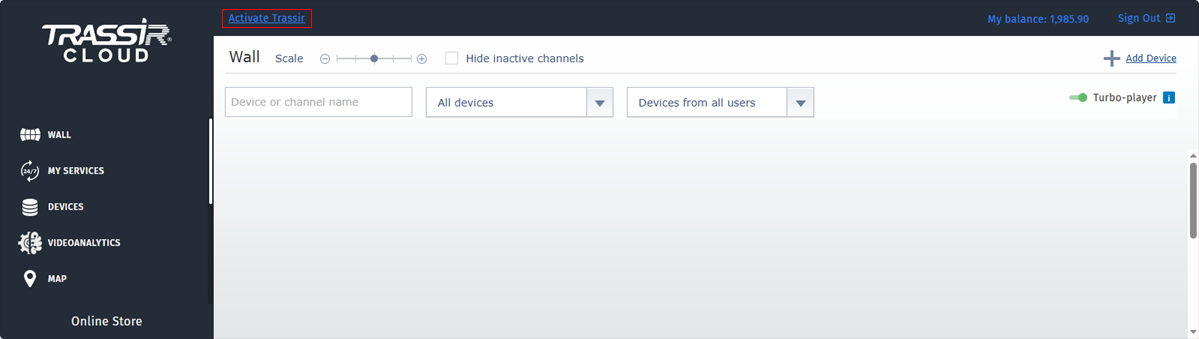
Log in to the Cloud site with your account. If you don't have an account yet, register. Click the Activate TRASSIR button at the top of the page.
-
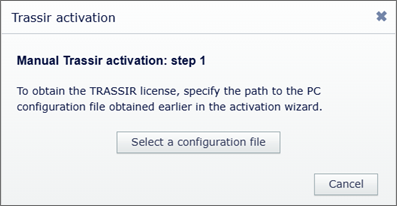
In the dialog box that appears, click Select a configuration file and specify the path to the previously obtained configuration file.
-
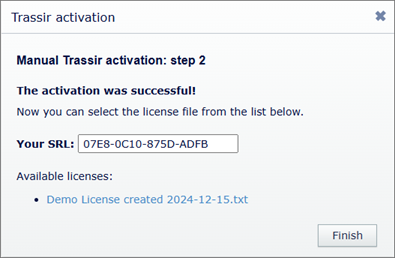
The Cloud will check the configuration file and then create a new demo license or download a previously created demo license. Click the link to download the demo license file. Transfer the demo license file to the computer with the TRASSIR-Server installed.
-
Launch the TRASSIR software once again. In the Activation Wizard window, click Activate without dongle.
-
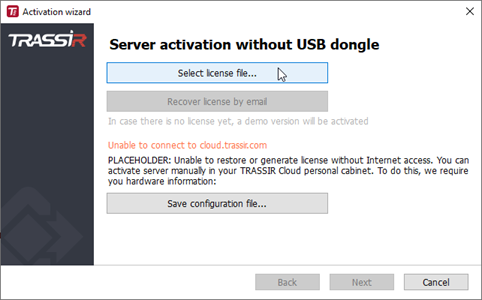
Click Select license file... and in the dialog box that appears, specify the path to the demo license file.
-
Activation Wizard will upload the selected license to the server and activate it. Click Finish to launch the TRASSIR software.

