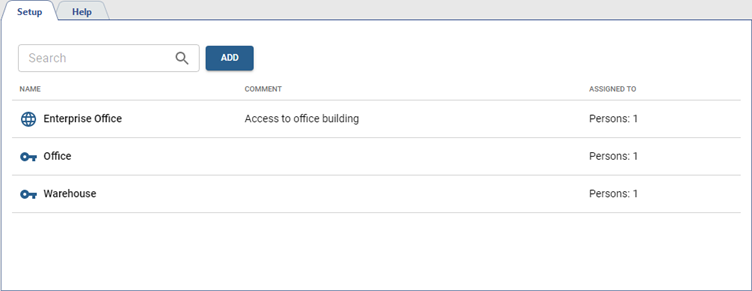
You can configure access levels in Plugins -> Access Control Enterprise -> Access levels section.
Access levels can be used to allow people to enter the entire area or only certain rooms. The settings page displays all the created access levels.
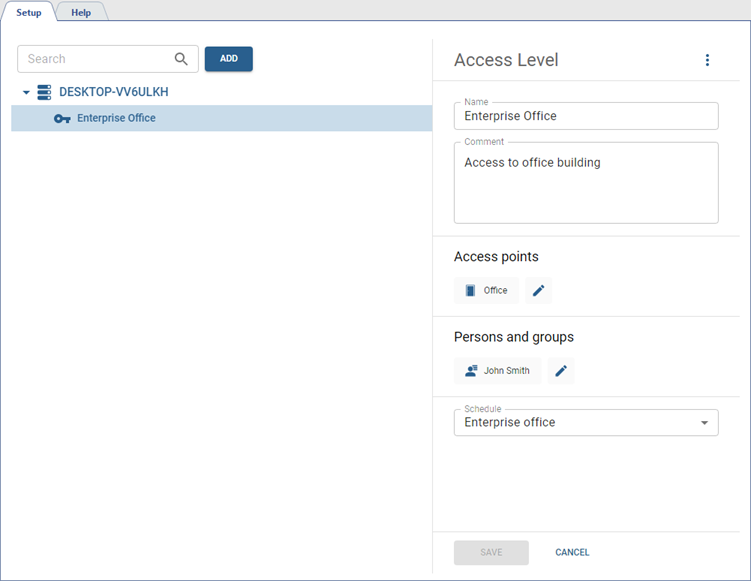
In order to create a new access level, press Add and follow the next steps:
- Enter the access level name and add comment, if necessary.
-
Add access points connected to a TRASSIR ACS server for use by the persons with this access level.
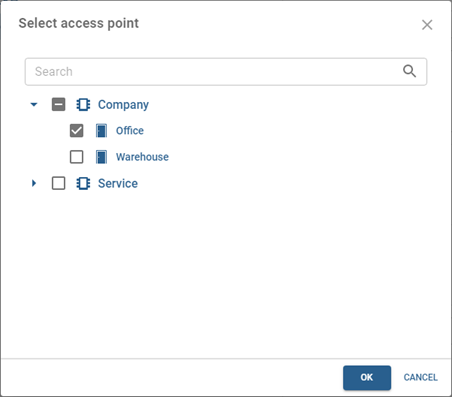
-
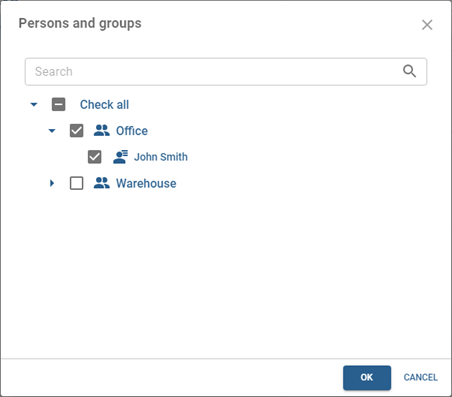
Add groups of persons or separate persons to whom this access level will be assigned.
- Select the schedule which this access level will use. Section Access schedule describes the access schedule creation in detail.
After the synchronization, the access levels added to TRASSIR ACS Enterprise will appear on the corresponding TRASSIR ACS servers.